
The Tools tab centralizes advanced operational features that support bulk actions, integrations, and collaboration within your domain. It is designed to help you manage large volumes of data efficiently and connect iTraceiT with your external systems and stakeholders.
Unlike the Home tab, which focuses on individual parcel actions, the Tools tab is dedicated to structured operations that impact multiple parcels or external users at once.
The Tools tab includes five main sections:
-
Mobile App
Understanding these sections helps you quickly identify which tool to use depending on your operational need.
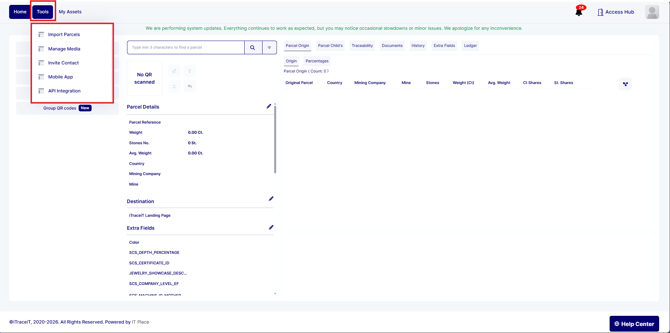
Import Parcels
The Import Parcels section allows you to create, update, or merge parcels in bulk using an Excel template.
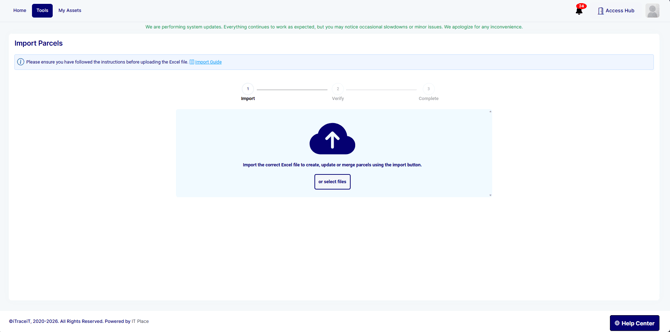
This tool is especially useful when working with large datasets. Instead of creating parcels one by one, you can upload structured data and process multiple entries at once.
From this section, you can:
-
Download the appropriate import template
-
Upload completed Excel files
-
Create new parcels in bulk
-
Update existing parcel information
-
Merge and split parcels
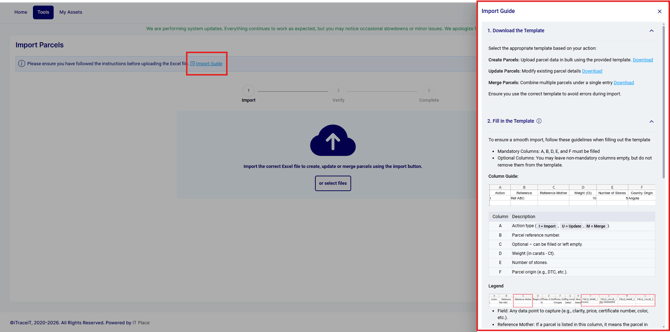
The import process is structured in three steps: Import, Verify, and Complete, ensuring data accuracy before final validation.
Manage Media
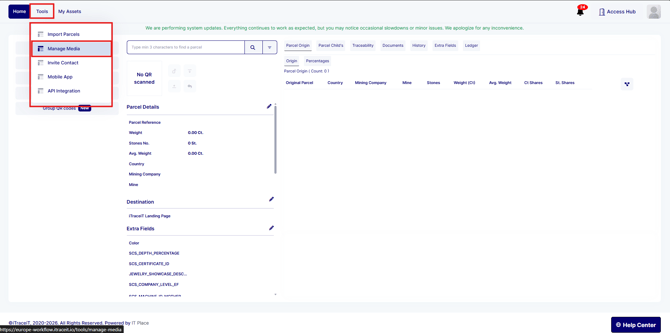
The Manage Media section allows you to upload and attach documents to parcels.
You can drag and drop files or select them manually, choose a category, and assign them to one or multiple parcels. This is useful for adding certificates, invoices, compliance documents, or any supporting files related to traceability.
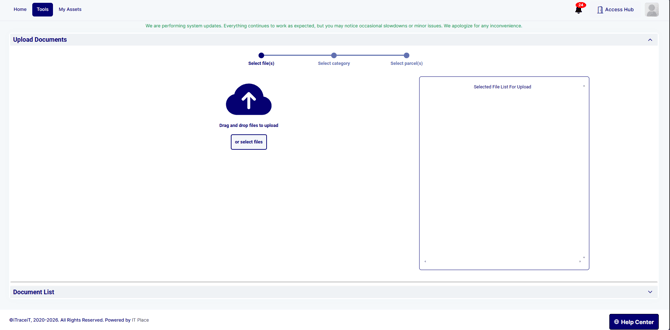
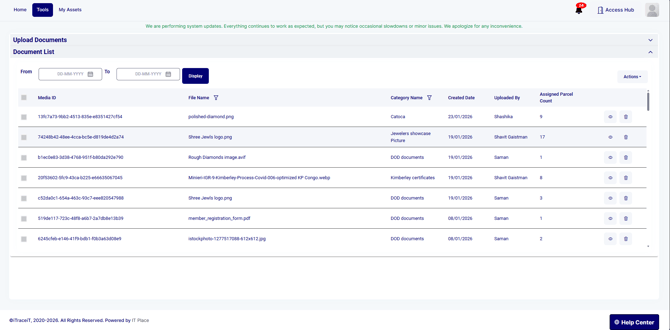
The section also includes a Document List area where uploaded files can be reviewed and managed.
Invite Contact
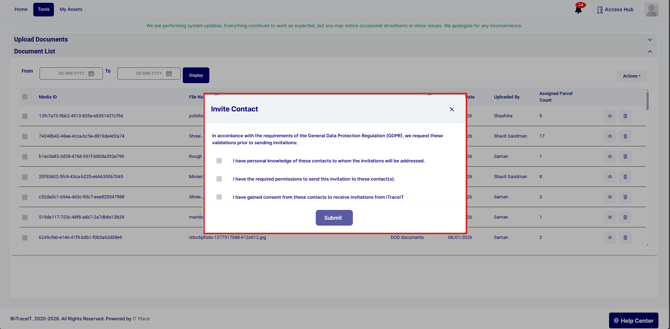
The Invite Contact section enables you to invite external stakeholders to access specific parcel information.
Before sending invitations, the system requires confirmation in compliance with data protection regulations. You must validate that you have permission and consent to contact the invited individuals.
Mobile App
The Mobile App section provides access to information and resources related to the iTraceiT mobile application.
This feature allows field users to interact with the platform outside the desktop interface, supporting traceability operations directly from mobile devices when applicable.
API Integration
The API Integration section is designed for technical integrations between iTraceiT and external systems.
Through the API, organizations can automate QR code creation, parcel updates, and data synchronization. This section is primarily used by technical teams or system administrators managing integrations.
The Tools tab brings together bulk processing, document management, collaboration features, and system integrations in one structured space. By understanding when to use each section, you can manage large scale operations efficiently while maintaining accuracy and compliance within your domain.