
As you work in iTraceiT, you may need guidance, documentation, or direct support. The Help Center is always available to provide answers, onboarding materials, and contact options in one place, without interrupting your workflow.
Where to find the Help Center
The Help Center is always accessible from the bottom right corner of the interface.
You can open it at any time, whether you are on the Access Hub or working inside a domain.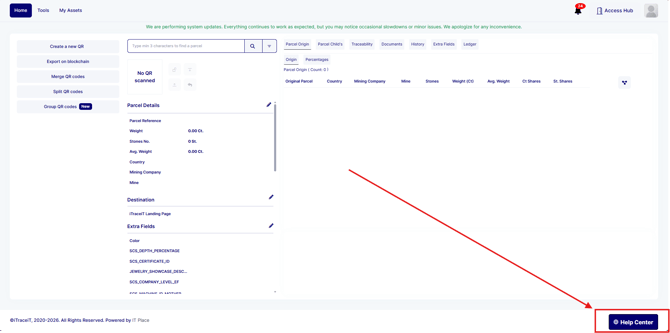
To access it, simply click the Help Center button located at the bottom right of the page.
The Help Center panel will open immediately on top of your current screen.
Help Center structure
The Help Center is divided into two main sections that serve different purposes: Learn and Support.
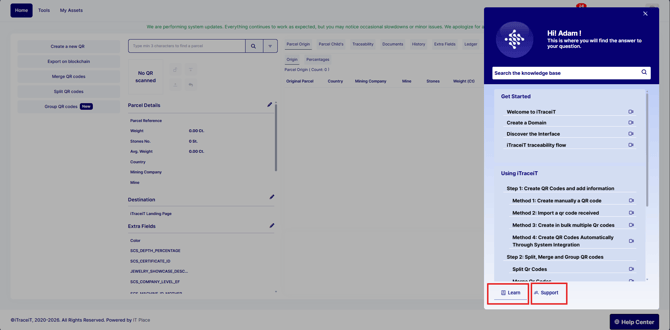
Learn section
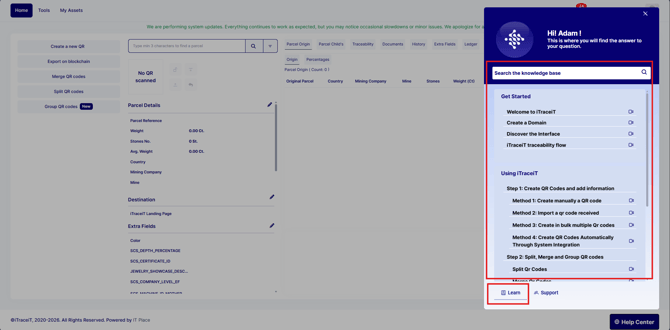
The Learn section contains educational content designed to help users understand and use the platform effectively. It includes resources such as:
-
Getting started guides
-
Step-by-step workflow documentation
-
Manuals
-
Interface explanations
-
Learning media such as videos
This section is ideal for new users and for anyone who wants to better understand specific features or workflows in iTraceiT.
Support section
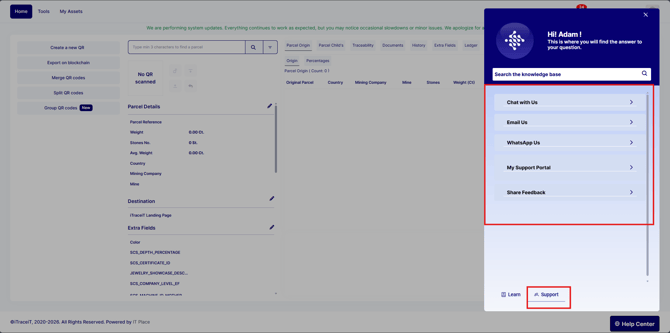
The Support section allows you to contact the iTraceiT team through multiple channels. From this section, you can:
-
Chat with us
-
Email us
-
Contact support via WhatsApp
-
Access My Support Portal
-
Share feedback
This section is intended for technical assistance, account-related questions, and direct communication with the support team.
The Help Center centralizes learning and support to help users stay productive and confident while using iTraceiT. By combining self-learning resources with direct support access, it ensures faster onboarding, smoother daily operations, and effective assistance whenever needed.