
Sharing QR Codes is the final step in your traceability process as an SCS-certified producer.
Once your parcels have been created, validated, and exported on the blockchain, you can now share the QR Codes with the next actor in the supply chain.
Sharing a QR Code means granting secure access to the parcel’s information recorded on the blockchain. The recipient (handlers, polishers, or jewelers)can view the parcel’s data, documents, and certification details, ensuring a transparent and traceable handover.
In iTraceiT, there are two ways to share QR Codes depending on your objective: sharing with another certified actor so they can continue the supply chain process or sharing for information purposes only, allowing the recipient to view but not process the QR Code.
Option 1 – Share QR Codes with the Next Actor
- Step 1: Log in to iTraceiT and go to My Assets.
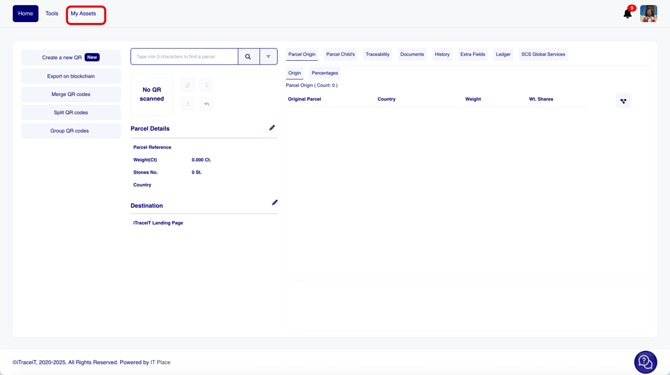
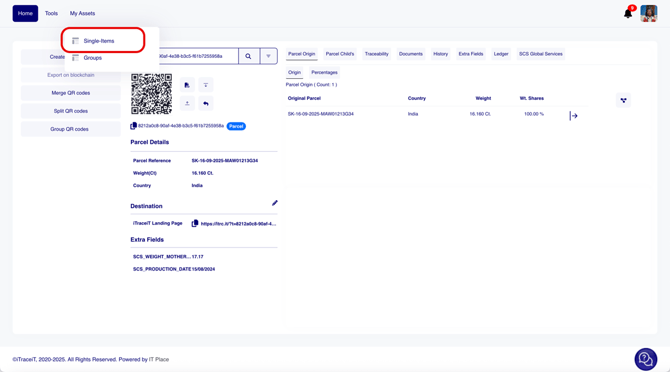
- Step 2: Select Single Items from the dropdown menu.
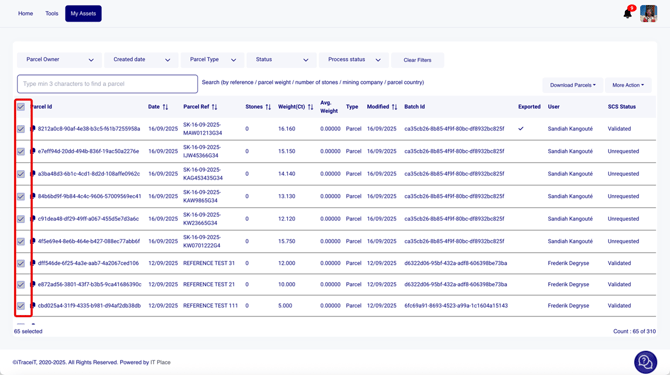
- Step 3: Use the checkboxes to select the parcel(s) you want to share.
- Step 4: Click on “Download Parcels”.
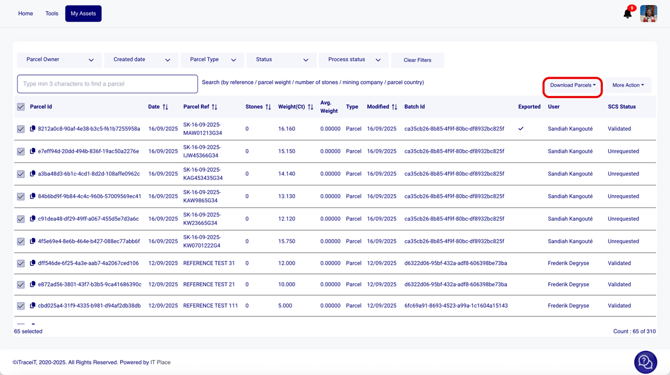
- Step 5: Choose “Download Excel”.
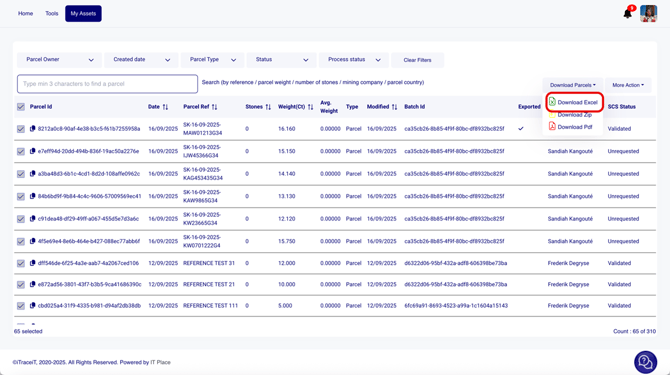
- Step 6: A pop-up will appear asking you to confirm the data that should be included in the Excel file. By default, fields such as QR ID, reference, and weight are already selected. Review the list then click “Download Excel”.
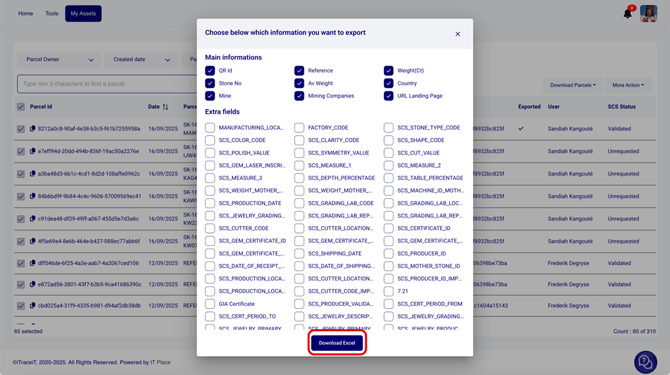
- Step 7: Share the Excel file (by email or any other means) with the next entity in the supply chain. The file contains the QR IDs, which can be used to import the QR codes into their database and continue the process.
By sharing QR codes in iTraceiT, you ensure that your parcels are securely visible to the right partners while maintaining full traceability. This step strengthens collaboration, builds trust, and guarantees compliance with SCS standards across the supply chain.
Option 2 – Share QR Codes for Information Only
If you only want to share the parcel details for viewing (without transferring the traceability process):
You can either:
-
Share the QR Code image directly by downloading it from the Home page. The recipient can scan it using any device to view the parcel’s blockchain data.
-
Or share the QR Code URL that redirects to the iTraceiT landing page, allowing the recipient to read the parcel’s public information and related documents.
This method is ideal for external visibility or for partners who only need to verify the parcel’s authenticity.
Sharing QR Codes ensures that your certified parcels remain traceable, transparent, and securely accessible to the right stakeholders. Whether you share them to continue the supply chain or for information purposes, each QR Code acts as a digital passport that reflects your commitment to responsible sourcing and certified transparency under SCS standards.