
Sharing QR codes is the final step that allows Cutters and Polishers to securely transfer parcel information to the next certified actor in the SCS supply chain.
Each QR code represents a parcel that has already been validated and exported on the blockchain. By sharing it, you grant the next participant access to verified and immutable data including the origin, weight, and certification details of the parcel ensuring a transparent and traceable handover.
- Step 1: Log in to iTraceiT and go to My Assets.
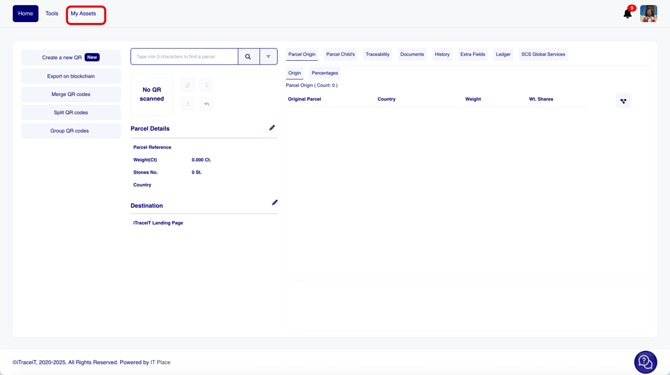
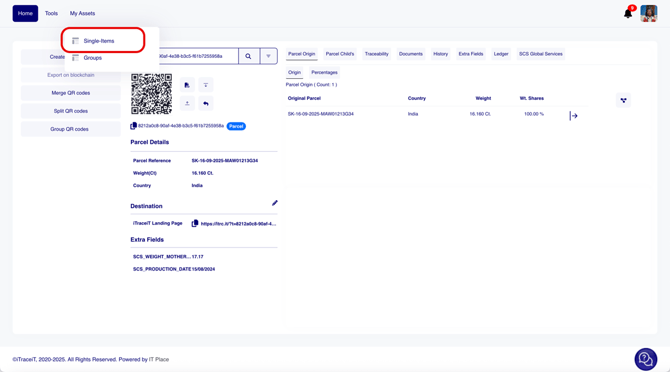
- Step 2: Select Single Items from the dropdown menu.
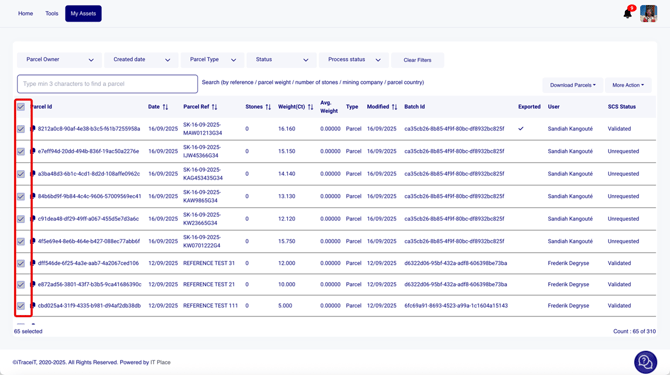
- Step 3: Use the checkboxes to select the parcels you want to share.
- Step 4: Click on “Download Parcels”.
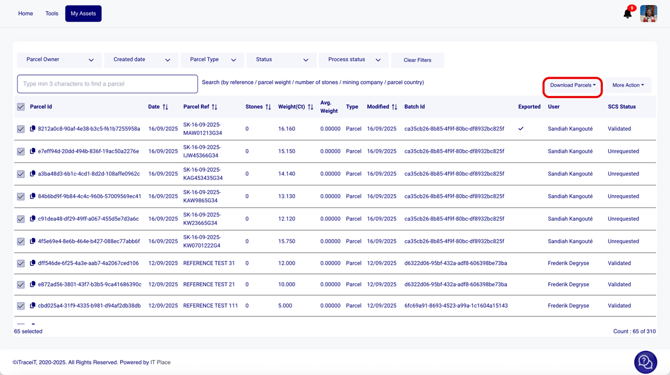
- Step 5: Choose “Download Excel”.
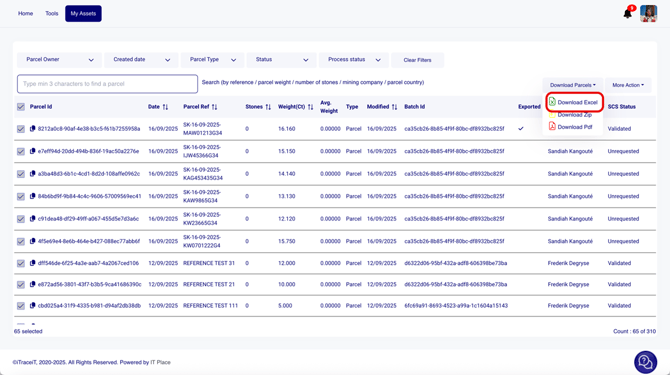
- Step 6: A pop-up will appear asking you to confirm the data that should be included in the Excel file. By default, fields such as QR ID, reference, and weight are already selected. Review the list then click “Download Excel”.
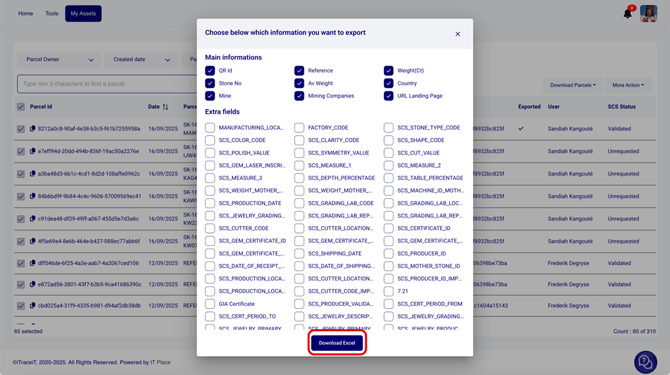
- Step 7: Share the Excel file (by email or any other means) with the next entity in the supply chain. The file contains the QR IDs, which can be used to import the QR Codes into their database and continue the process.
Sharing QR Codes ensures continuity, transparency, and trust throughout the certified supply chain. It enables you to securely transmit verified parcel data while maintaining full visibility and compliance with SCS certification standards.