
In iTraceiT, merging QR Codes means combining several parcels from different origins into one new parcel. This process is typically used by Cutters and Polishers when different parcels are mixed together during production.
Merging allows you to record the exact composition of a new mixed parcel while maintaining full traceability. The result of the merge shows both the general mixed origin and a detailed breakdown of each source. For example, 10% DTC, 50% Angola, 20% Botswana, and 20% South Africa.
This article explains how to perform a merge using the official Excel template available in the system.
- Step 1: Log in to iTraceiT and go to Tools.
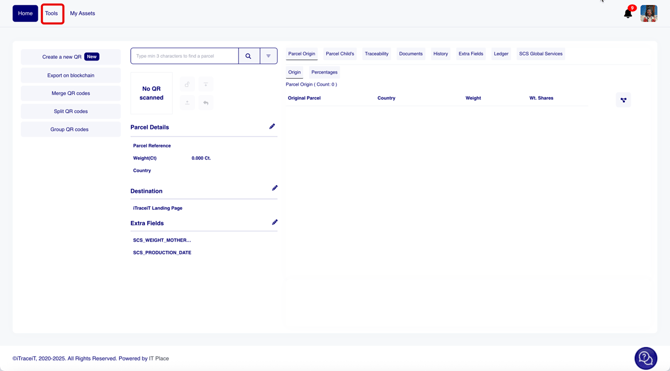
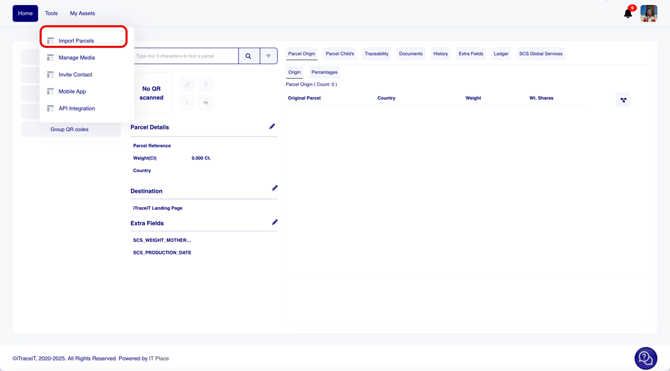
- Step 2: Select Import Parcels.
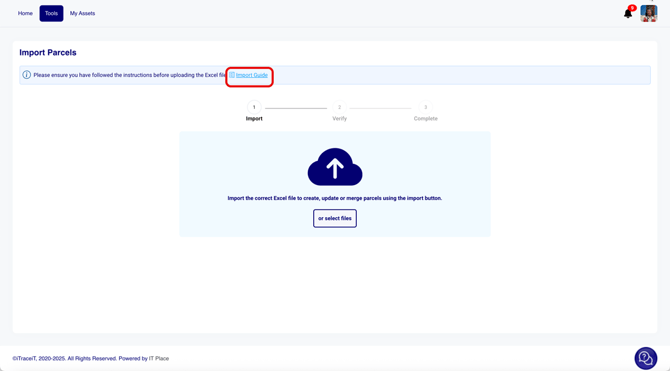
- Step 3: Click on Import Guide. A pop-up window will open.
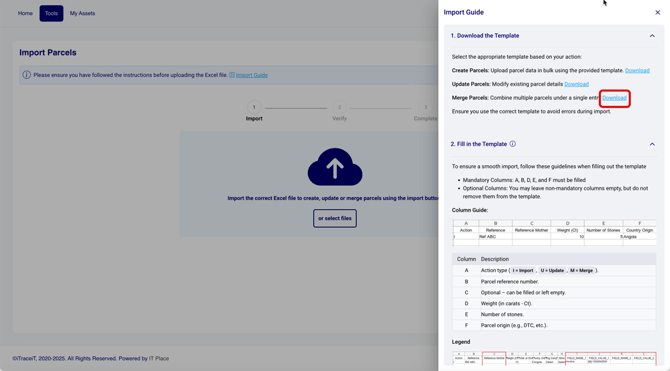
- Step 4: Click Download to get the official Excel template for merging parcels.
- Step 5: Open the template and fill in the required columns:
- Action: enter M to indicate a merge.
- Ref Target: enter the internal reference ID of the target parcel
- (the one that will contain the merge)
- Ref Source 1: enter the reference ID of the first source parcel
- Weight (ct) Source 1: enter the weight taken from source 1 (in carats)
- Number of Stones 1: enter the number of stones taken from source 1
- Ref Source 2: enter the reference ID of the second source parcel
- Weight Source 2: enter the weight taken from source 2 (in carats)
- Stones Source 2: enter the number of stones taken from source 2
- Ref Source 3: enter the reference ID of the third source parcel
- Weight Source 3: enter the weight taken from source 3 (in carats)
- Stones Source 3: enter the number of stones taken from source 3
Each line in the Excel file represents one merged parcel.

- Step 6: Save your Excel file once all required information has been entered.
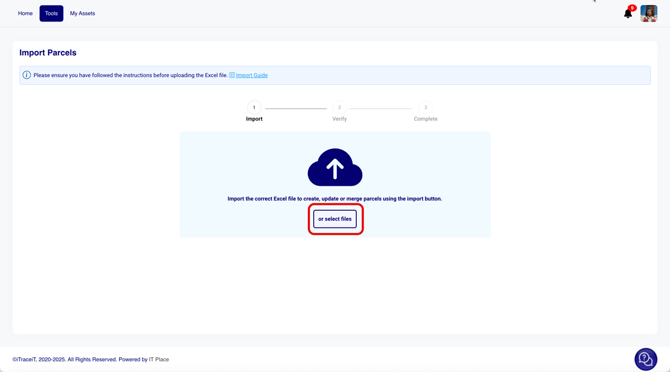
- Step 7: Return to the Import Parcels screen. Drag and drop the file or click Select Files to upload it.
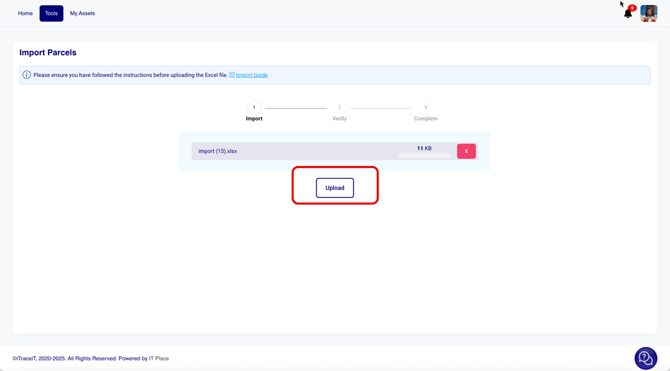
- Step 8: Click Upload.
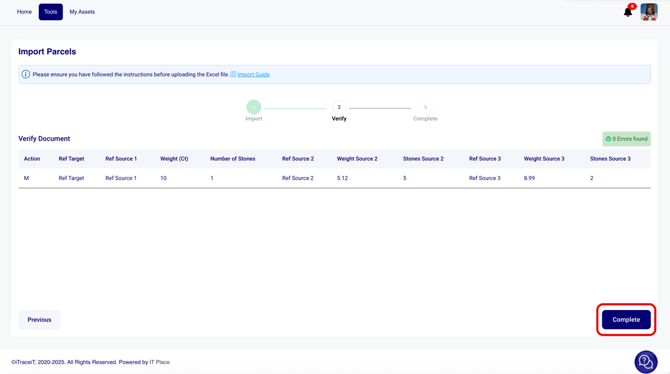
- Step 9: The system will automatically check your file for errors. If there are no errors, click Complete. The system will generate and register the new merged parcel with its own QR code.
Merging QR Codes allows Cutters and Polishers to consolidate several parcels into a single, traceable parcel while keeping a full record of their origins. This process guarantees transparency and accuracy in the SCS certification flow.
By using the merge function correctly, you ensure that every transformation step in your production remains verifiable and aligned with SCS traceability standards.