
In the SCS certification process, exporting a QR Code on the blockchain is the final step that makes your parcel’s data official and visible to the next actor in the supply chain.
For cutters and polishers, this step confirms that the transformation or processing stage is complete and that all related information such as origin, weight, and certification data is ready to be securely transferred.
When you export on the blockchain, iTraceiT publishes the verified data in a tamper-proof environment. This ensures that the parcel’s digital record cannot be altered and that its traceability remains transparent and permanent throughout the SCS network.
In iTraceiT, there are two ways to export QR codes on the blockchain: manually or in bulk.
This article explains how to export your QR codes in bulk on the blockchain step by step to ensure data accuracy and compliance with SCS standards.
Watch the tutorial
Learn how to export your QR Codes in bulk on the blockchain step by step in this short video demonstration.
Now that you have seen the full process, let’s go through each step in detail.
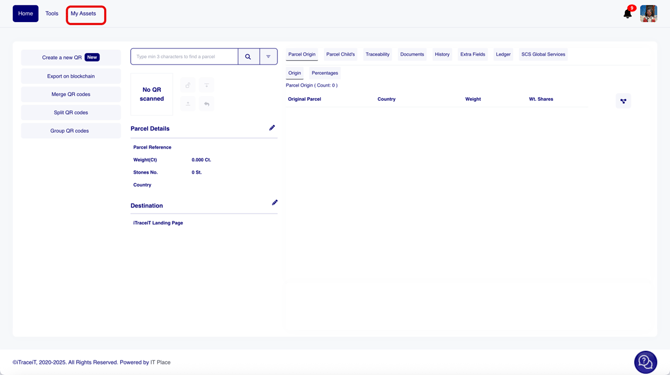
- Step 1: Click on “My Assets”.
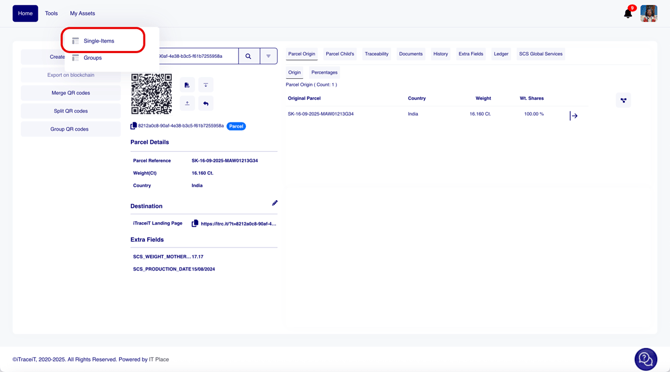
- Step 2: Click on “Single Items”.
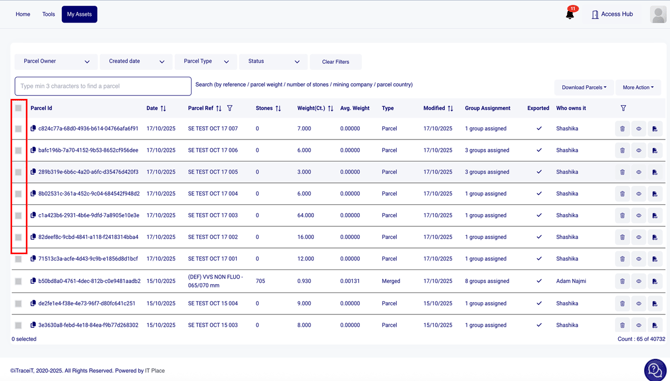
- Step 3: Select all the parcels that you want to export.
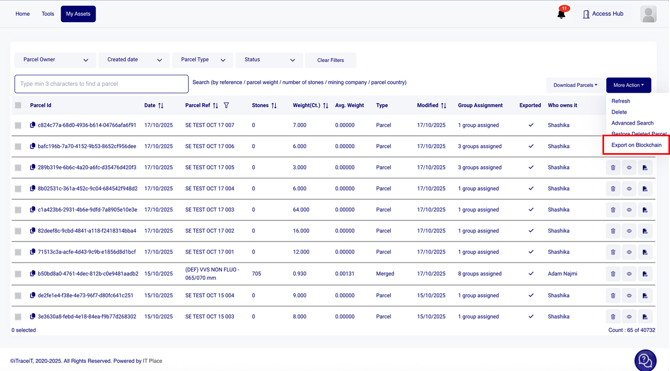
- Step 4: Click on "More Action".
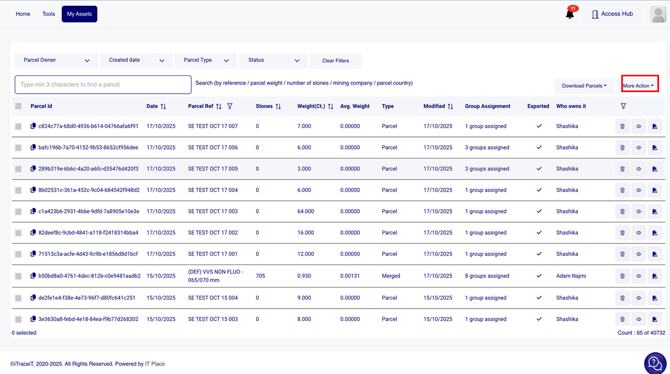
- Step 5: Click on "Export on Blockchain".
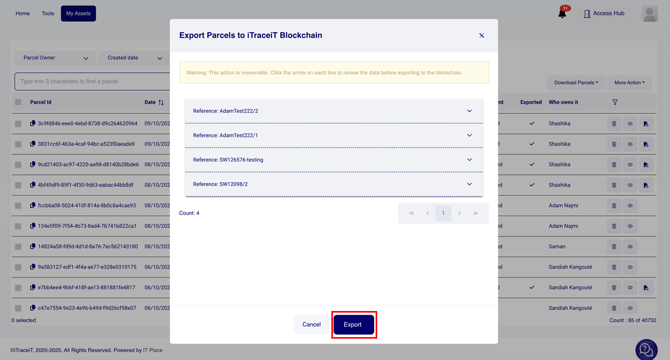
- Step 6: A pop-up window will appear showing a preview of all the selected parcels. Carefully check that all information is correct and what Documents and Extra fields you would like to export for each parcel, and press the button “Export”.
Exporting QR codes is the final stage that connects your work to the next actor in the value chain. By publishing verified parcel data on the blockchain, you make it permanent, transparent, and accessible for certification review. This step confirms the completion of your processing phase and ensures that your operations remain compliant with SCS traceability standards.