
When you log in to iTraceiT, you first arrive in the Access Hub. This page is designed to help you get oriented before entering any domain. From here, you can manage your personal account, choose which domain to work in, or create a new domain if needed.
The Access Hub is intentionally simple and centralized, so new users can clearly understand where to start.
Personal Profile and Account Access
On the left side of the Access Hub, you will see your user card with your name and profile icon. From here, you can access your personal account settings, such as account security and profile information.
You can also click the profile icon on the top right corner to quickly change the language or switch to Dark Mode.
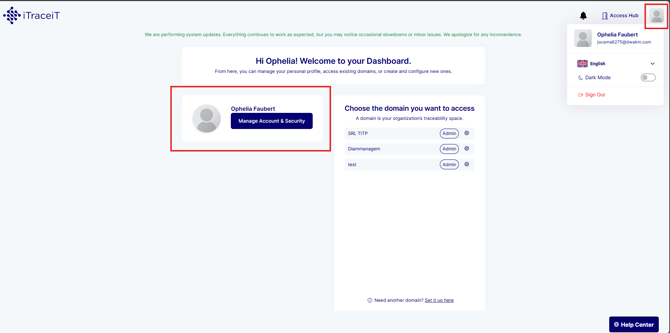
These settings apply to you as a user and are independent of any specific domain.
To modify your profile details, you can read this article : How to update your profile information
Domains You Can Access
The central section of the Access Hub displays the list of domains you have access to. Each domain represents an organization, business unit, or project configured in iTraceiT.
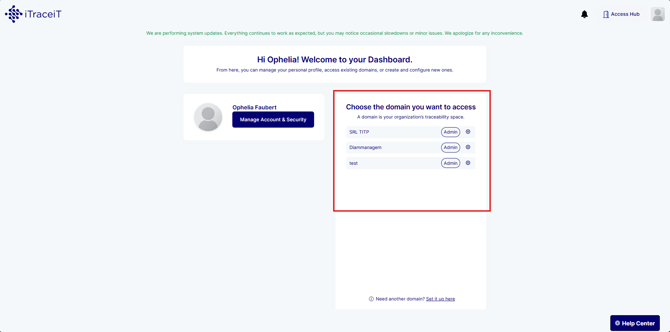
For each domain, you can see:
-
The domain name
-
Your role in that domain, such as Admin or Member
Once you select a domain, you leave the Access Hub and enter the application interface of that domain. This is where operational tasks take place, such as managing parcels, importing data, requesting validation or certification, and exporting QR codes.
The Access Hub itself is not used for operational work. Its role is to guide users to the correct domain and provide access to account and configuration features.
Domain Configuration Access for Administrators
If you are an administrator, you will see additional options next to each domain, such as a settings icon. These options allow you to manage domain-level configuration before entering the operational workspace.
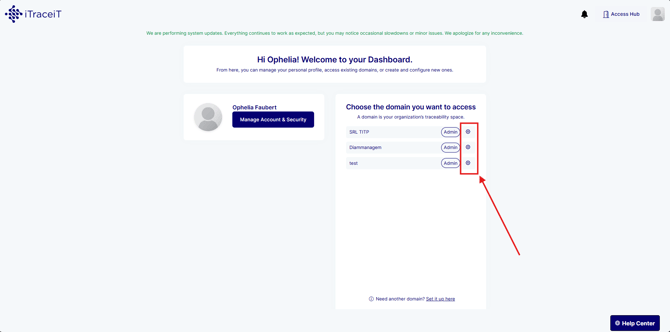
From here, administrators can access:
-
Team and user management How to Manage Your Team and Users’ Access
-
Company identity and customization
-
Subscription and billing settings
For detailed guidance, refer to this article : How to Configure Domain Settings
Create a New Domain
If you are eligible, the Access Hub allows you to create a new domain directly from the domain list area. This is typically used when setting up a new organization, business unit, or project in iTraceiT.
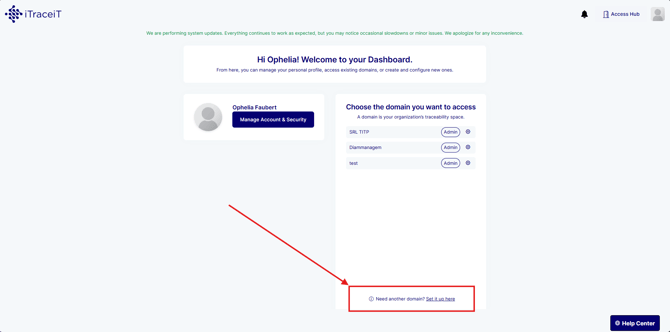
For step-by-step instructions on how to create a domain, you can read this article : Set Up Your First Workflow or Domain
Notifications
In the top right corner of the Access Hub, you will find the notifications icon. Notifications inform you about important updates such as invitations to domains, system messages, or platform-level announcements.
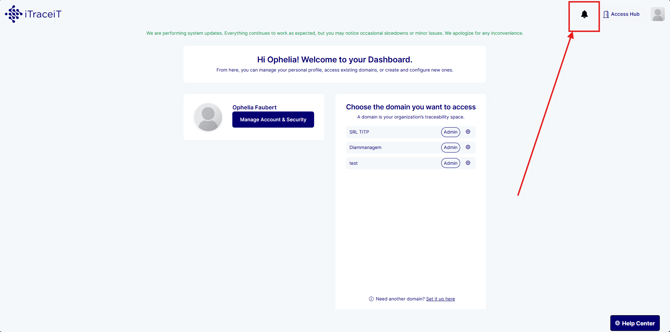
Notifications are visible at the Access Hub level so you can review them before entering any specific domain.
Help Center
The Help Center is accessible from the bottom right corner of the Access Hub page. It provides access to learning resources, documentation, and support options.
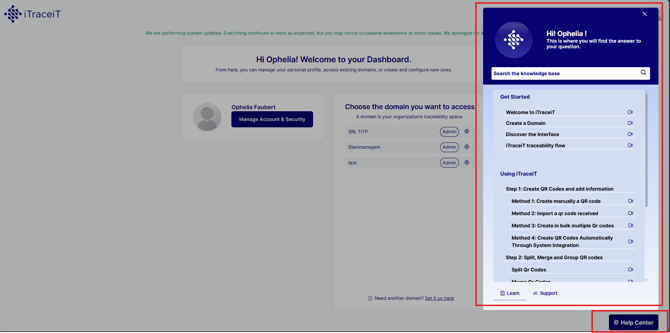
From the Help Center, users can:
-
Browse learning materials
-
Access user guides and manuals
-
Contact support if assistance is needed
The Access Hub provides a clear and structured starting point for all iTraceiT users. It helps you manage your profile, select the correct domain, access configuration options when needed, and stay informed through notifications. By keeping setup, access, and operations clearly separated, the Access Hub ensures a smooth and intuitive experience, especially for new users getting started with iTraceiT.