
This article explains how to upload a new logo or replace an existing one.
Only administrators can perform this action.
Your logo can be updated at any time by a domain administrator from the Company Identity section. The change applies immediately across your domain.
-
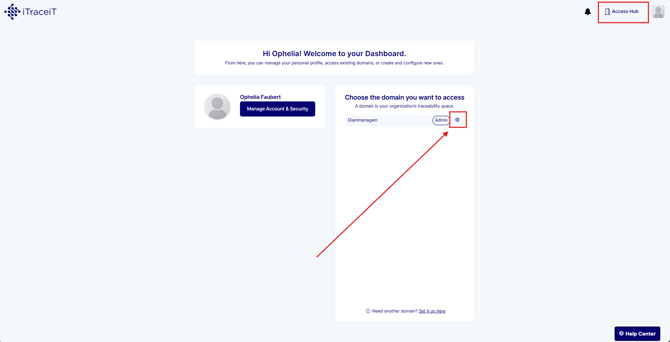
Step 1: From your domain dashboard, click the gear icon next to your domain name to access the settings.
-
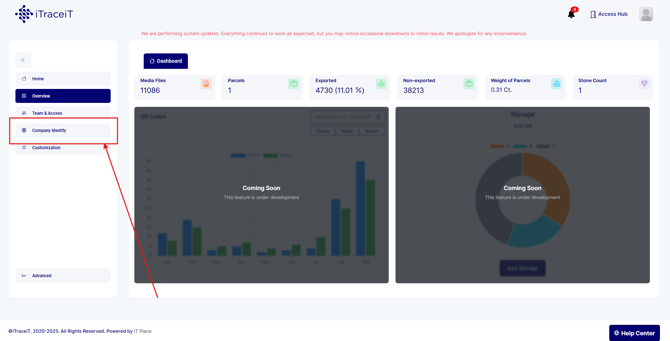
Step 2: In the left-side menu, select Company Identity.
-
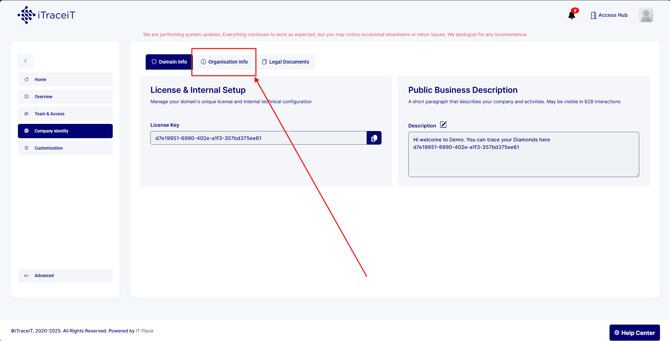
Step 3: Within Company Identity, click the Organisation Info tab. This is where your company details and logo are managed.
-
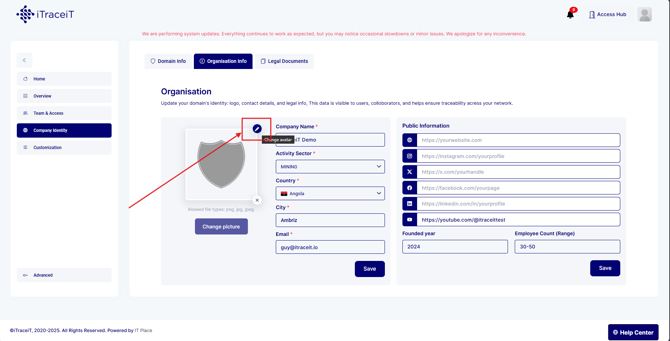
Step 4: Locate the logo field in the Organisation Info section. Click on the pencil icon then select the image file from your computer.
-
Step 5: Once the logo is uploaded, click on the button Change Picture to confirm.
The new logo will immediately replace the previous one across your domain.
Updating your company logo helps keep your domain visually consistent and professional. As a domain administrator, you can upload or change the logo at any time from the Organisation Info section, and the update will be applied automatically.