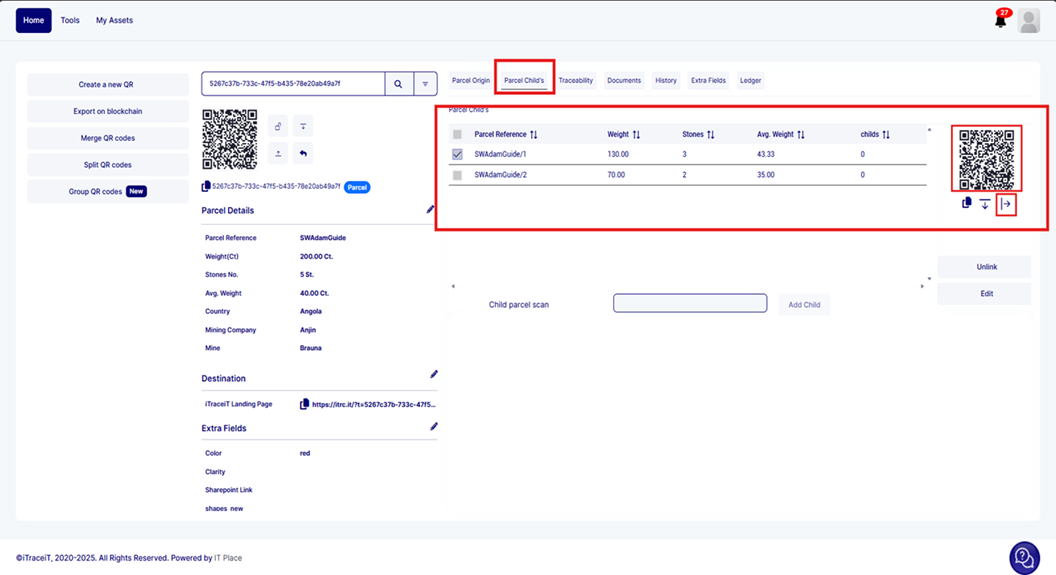
Splitting a QR code means dividing a parcel or batch into smaller portions while maintaining traceability. For example, if you have a parcel of 100 carats, you can split it into smaller parts, such as 10 carats and 20 carats, etc. creating separate QR codes for each portion to track them individually.
This action is also referred as "adding a child".
Follow the steps to split your QR Code
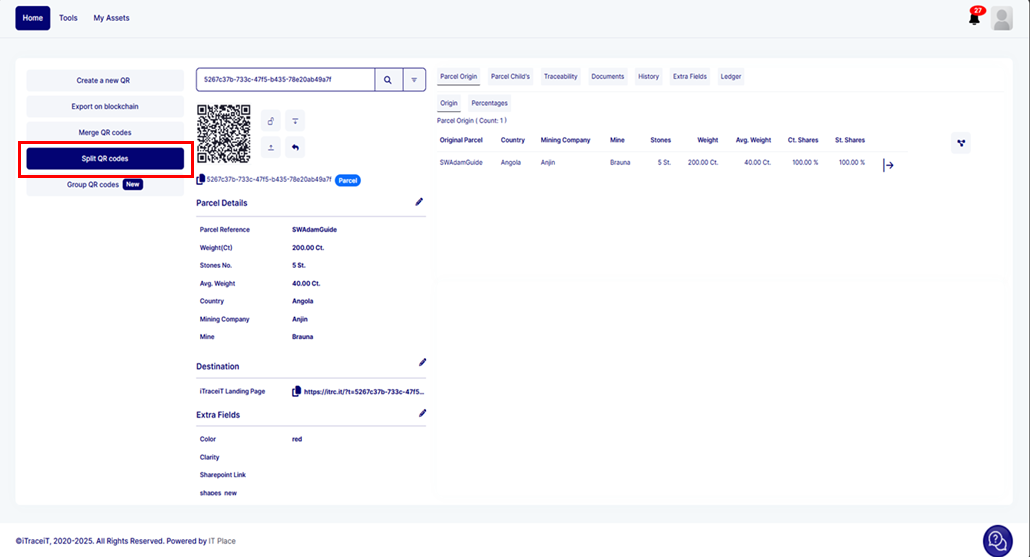
1. On the homepage, click on the button "Split QR Codes"
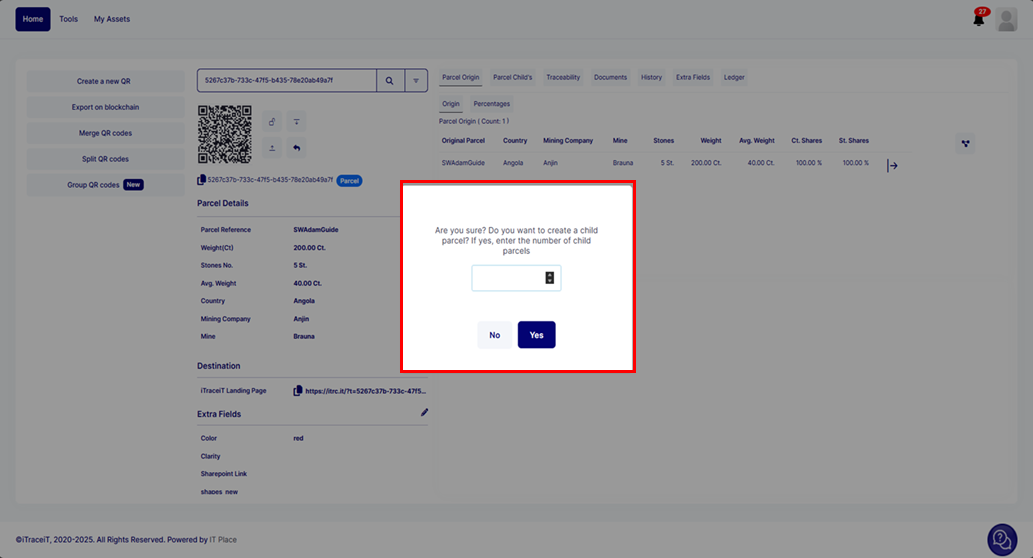
2. Then enter the number of QR Codes you want to split and click on "Yes"
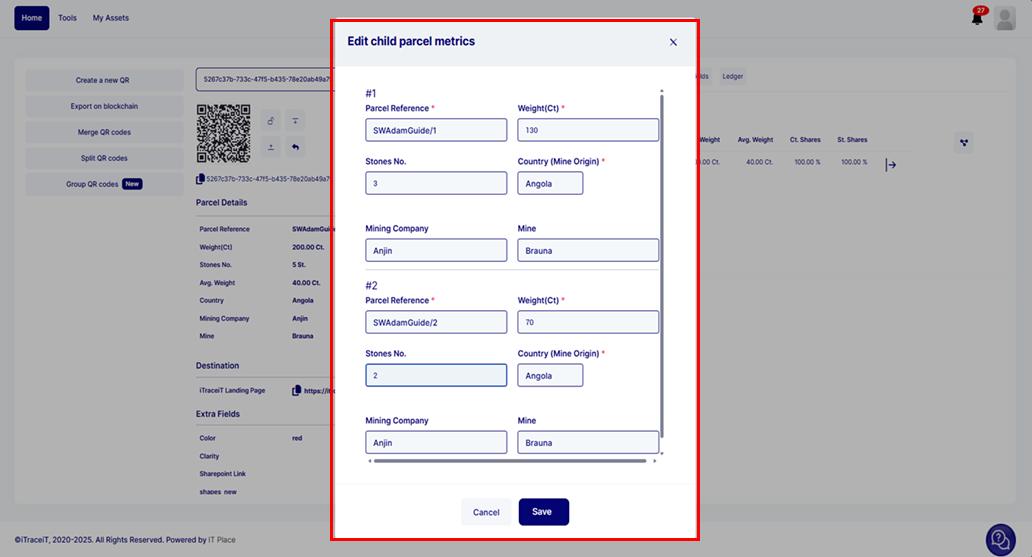
3. Fill in the data for the child QR code (s) in the pop-up, then press the button 'Save' to confirm
4. The QR code has been successfully split, and you can view the child parcels in the 'Parcel Child' section