
Visual presentation is essential to reinforcing authenticity, craftsmanship, and brand trust. To support this, iTraceiT now allows you to showcase selected jewelry image(s) directly on the landing page linked to a QR Code. This new feature offers a simple yet impactful way to visually highlight a specific piece at the point of traceability verification, creating a more compelling and elegant experience for clients, partners, and consumers.
This guide explains how to activate and use the feature within your account.
-
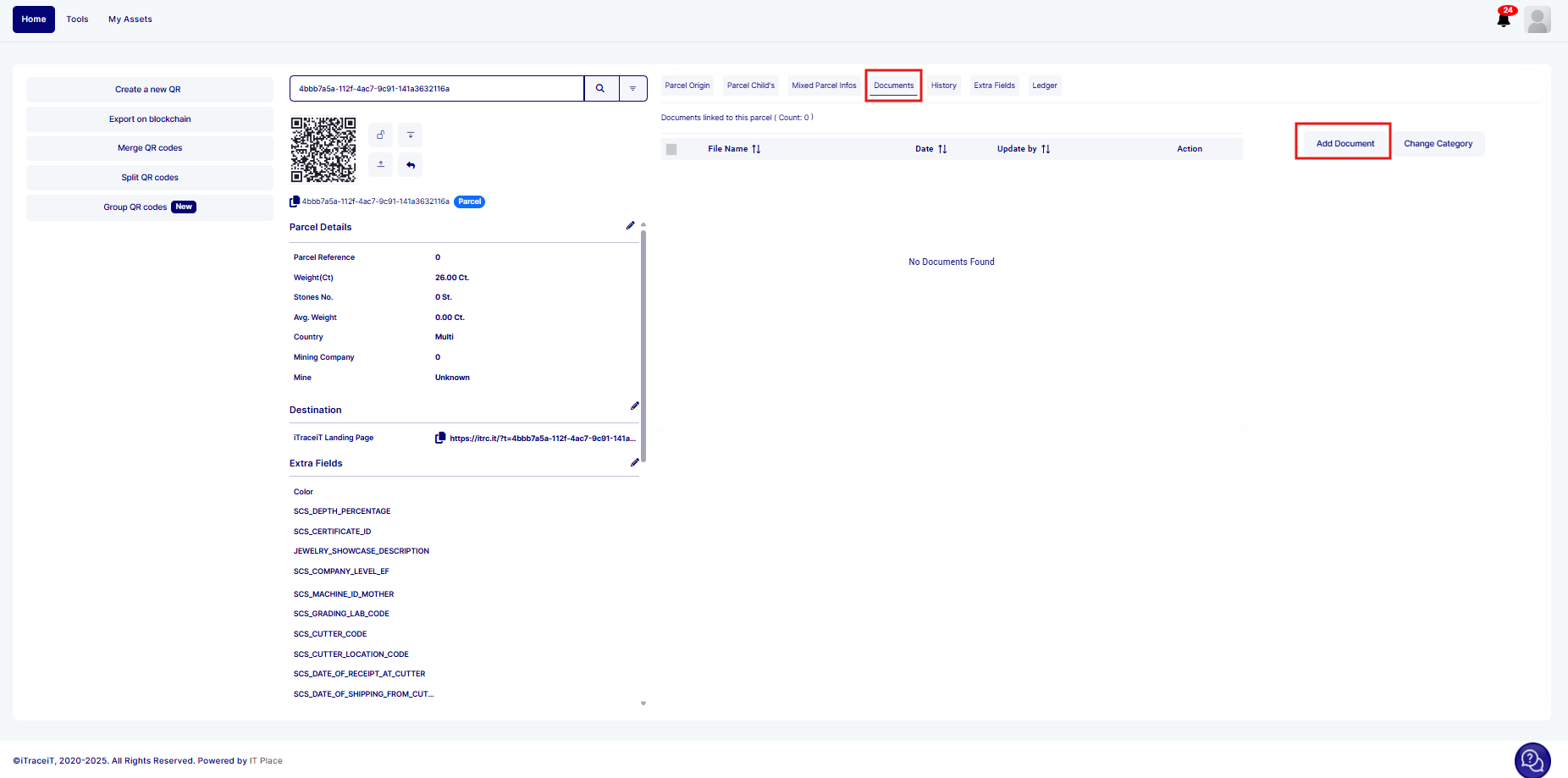
Step 1: on the homapage, click on the “Document” sub-tab.
-
Step 2: Click on “Add Document.”
-
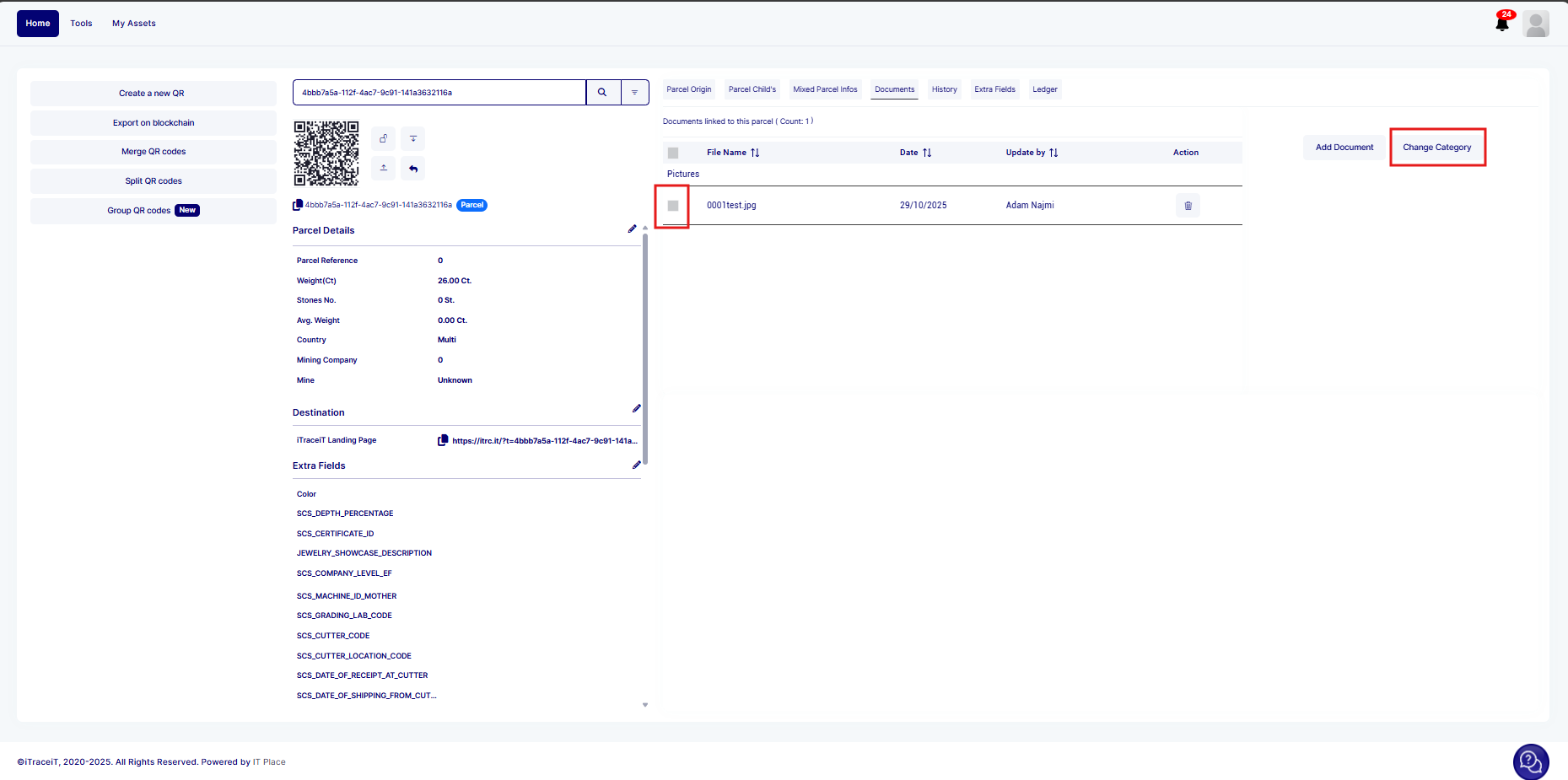
Step 3: Select and upload the jewelry image you want to highlight.
-
Step 4: Once the image is uploaded, select it and click on “Change Category.”
-
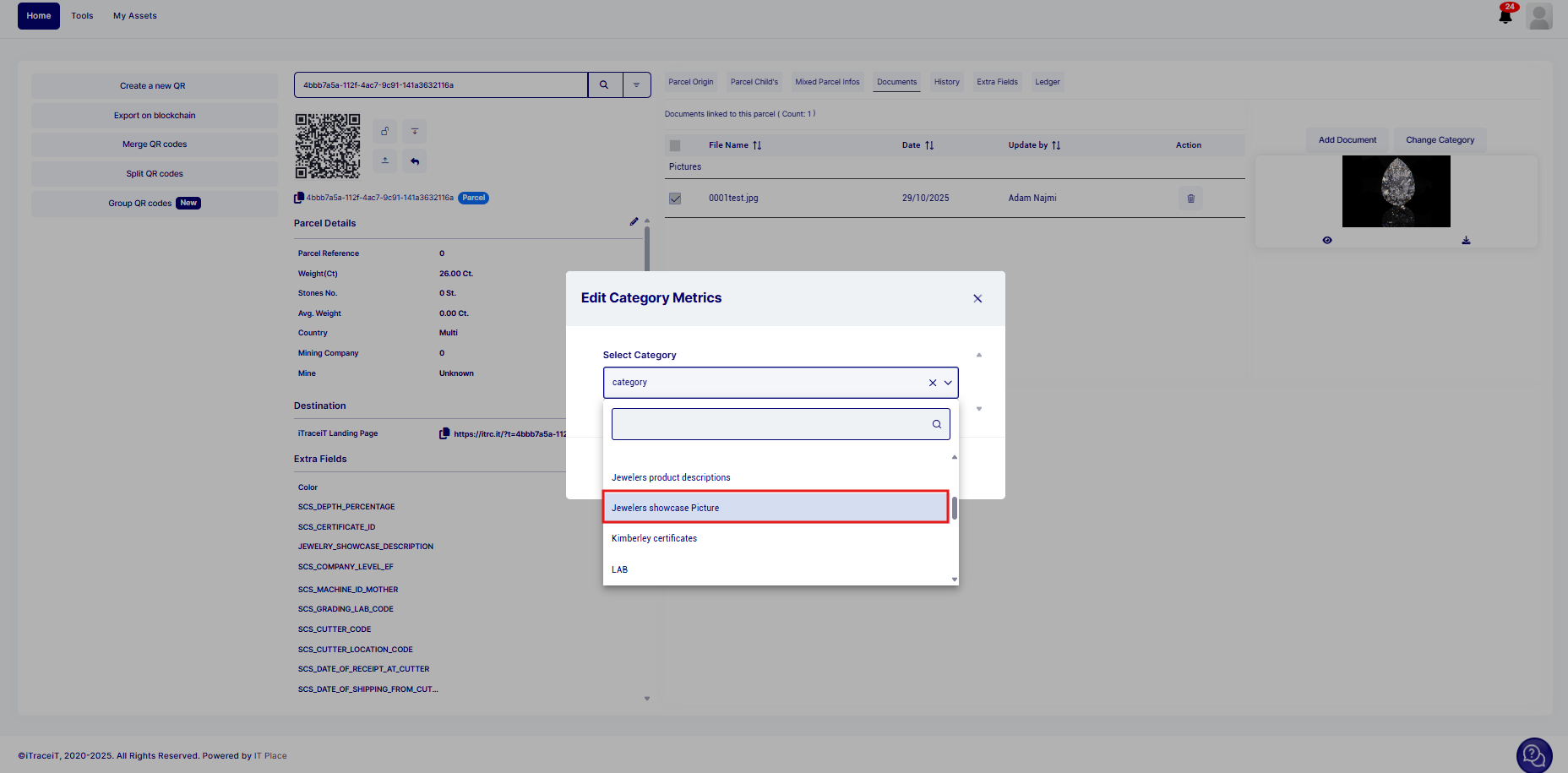
Step 5: Assign the image to the file category named “Jewelers Showcase Picture.”
-
Step 6: Export the QR Code to the blockchain.
The image will then appear automatically on the landing page linked to the QR code.
If the “Jewelers Showcase Picture” category is not available in the account, please contact the support team. We will add it upon request.
This feature brings traceability to life through visual storytelling. By showcasing a jewelry photo on the landing page, you elevate the product experience and reinforce transparency.