
Before making any changes, it is important to confirm whether the QR code has already been exported or not.
Important Rule Before You Start :
Information can only be removed if the QR code has not been exported to the blockchain. If the QR code is already exported, the information is immutable and cannot be modified, deleted, or replaced.
Removing Information from Extra Fields
Extra Fields are custom fields that may have been added to a parcel.
To remove information from an Extra Field:
-
Scan and display the parcel linked to the QR code.
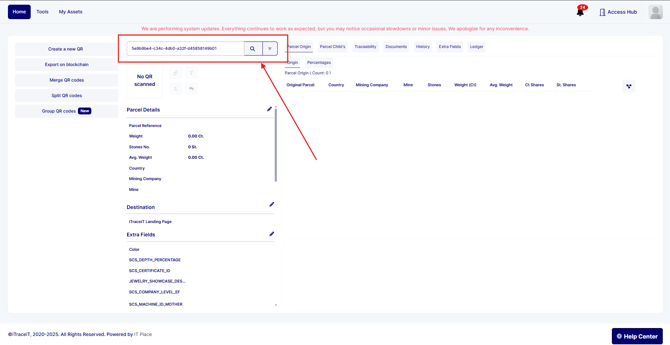
-
Go to the Extra Fields tab.
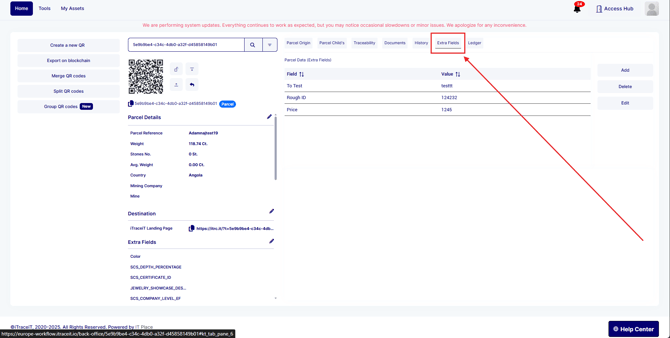
-
Locate the extra field you want to remove and click on it to select it
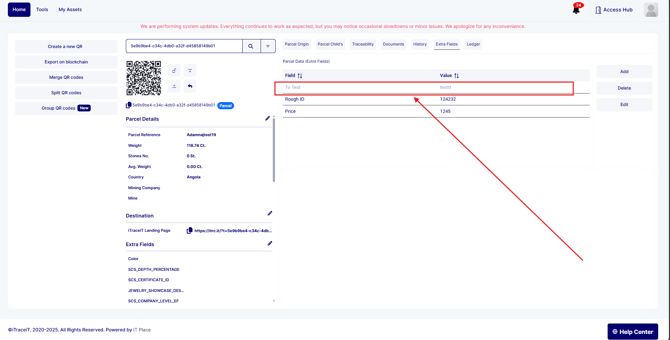
-
Click Delete to remove it.

- Confirm your choice.
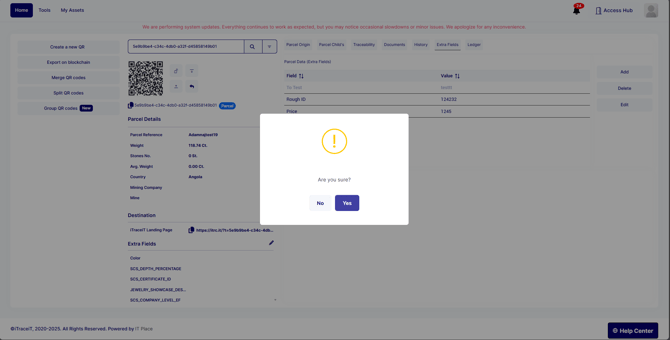
The extra field will be removed immediately from the parcel.
Removing Attached Documents
Any documents (invoices, certificates or images etc) can also be removed before export.
To remove a document:
-
Open the parcel linked to the QR code.
-
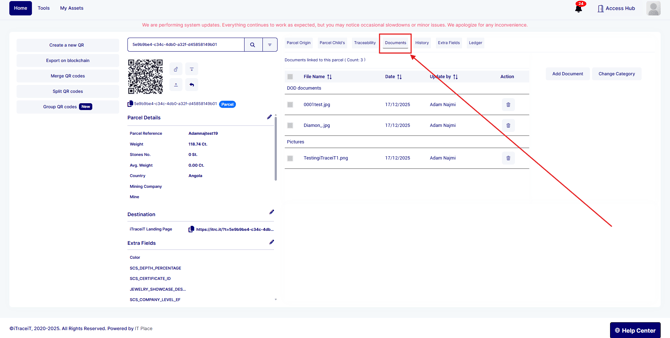
Go to the Documents tab.
-
Find the document you want to remove.
-
Click the trash icon next to the document.
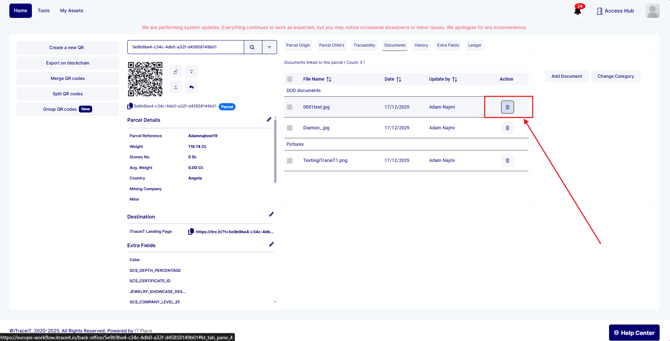
The document will be deleted from the parcel.
Removing information from a QR code is possible only before blockchain export. You can delete extra fields or attached documents directly from the parcel, then export the updated QR code. Once exported, the information becomes permanent, so it is important to review all data carefully before confirming the export.