
Exporting parcels in bulk on the blockchain allows you to publish several QR codes at once instead of doing it individually. This feature saves time and ensures that all parcel data is securely and consistently recorded within the supply chain.
When parcels are exported, their data becomes permanent, transparent, and accessible on the blockchain. Each QR code is locked and linked to verified information such as origin, weight, documents, and certifications.
This article explains how to export parcels in bulk on the blockchain step by step.
Watch the Video Tutorial
For a clear visual demonstration, watch this short video on exporting in bulk QR codes to the blockchain:
Now that you have seen the full process, let’s go through each step in detail.
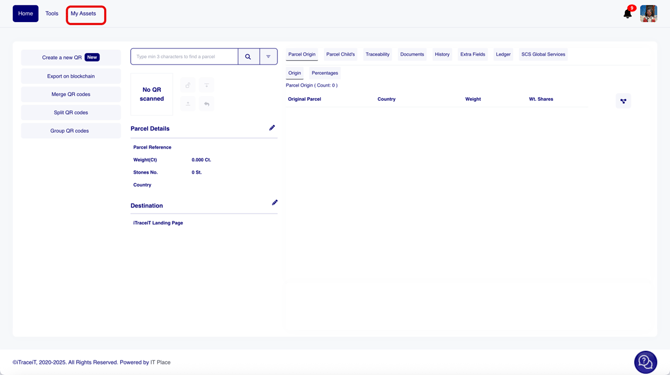
- Step 1: Click on “My Assets”.
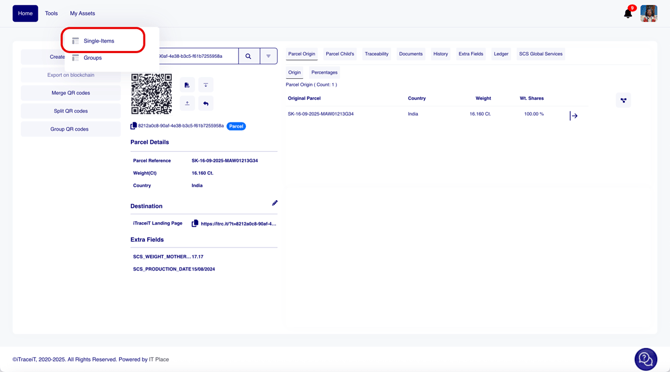
- Step 2: Click on “Single Items”.
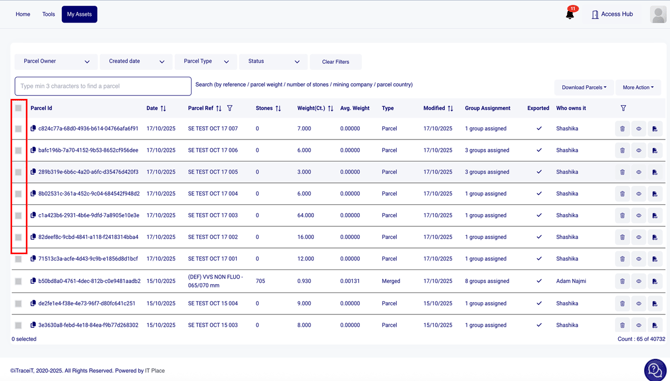
- Step 3: Select all the parcels that you want to export.
- Step 4: Click on "More Action".
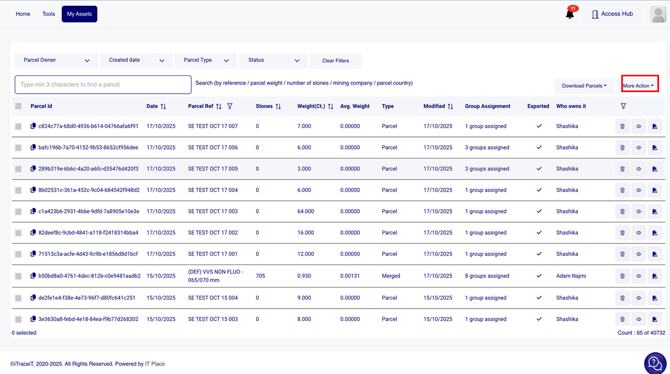
- Step 5: Click on "Export on Blockchain".
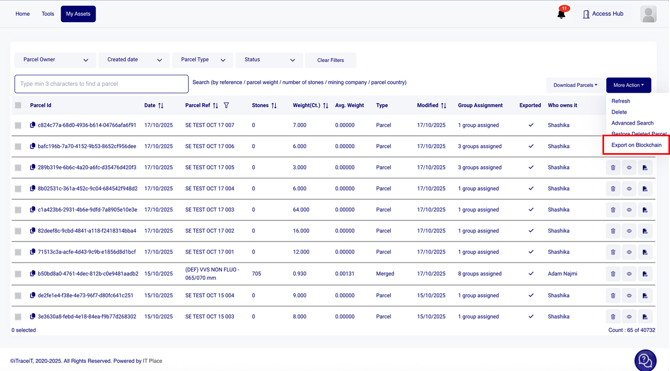
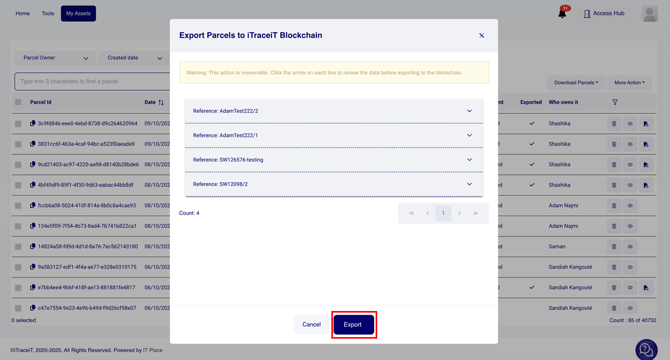
- Step 6: A pop-up window will appear showing a preview of all the selected parcels. Carefully check that all information is correct and what Documents and Extra fields you would like to export for each parcel, and press the button “Export”.
Exporting parcels in bulk on the blockchain helps you streamline operations while maintaining full transparency and compliance with certification standards.This process ensures that every parcel you publish is securely recorded, verifiable, and visible to the next actor in the supply chain.