
Exporting parcels on the blockchain is one of the most important steps in the iTraceiT traceability process. It ensures that all parcel data is officially recorded and visible within the supply chain.
When a parcel is exported, its QR code and related data become part of a permanent, tamper-proof blockchain record. This step guarantees full transparency and authenticity, as no one can modify or delete the information once published.
You can export parcels in two ways: manually for single exports or in bulk for multiple exports at once.
This article explains both methods step by step.
Manual Export – One Parcel at a Time
Watch the Video Tutorial
For a clear visual demonstration, watch this short video on exporting manually QR codes to the blockchain:
Now that you have seen the full process, let’s go through each step in detail.
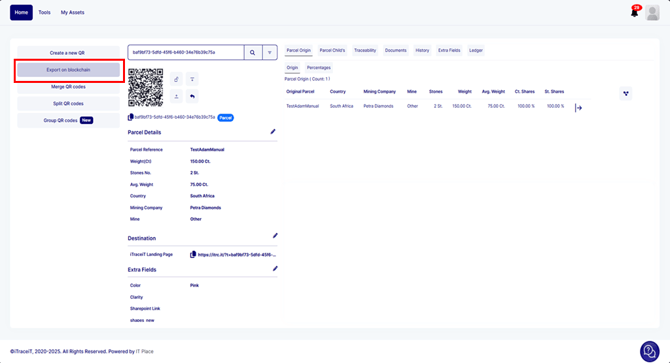
- Step 1: On the homepage, click on the button “Export on Blockchain”.
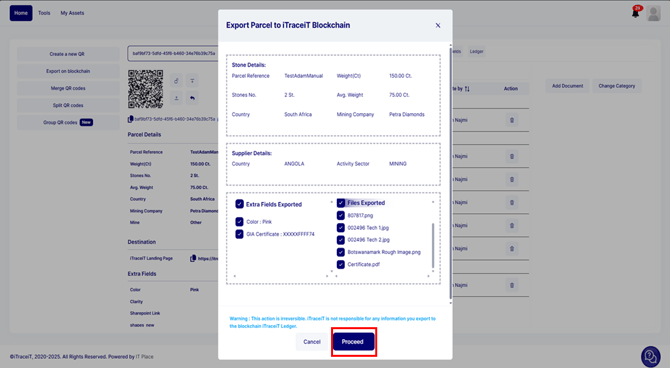
- Step 2: A pop-up window will appear showing a preview of all the information that will be published on the blockchain. Carefully check that all information is correct and press the button “Proceed”.
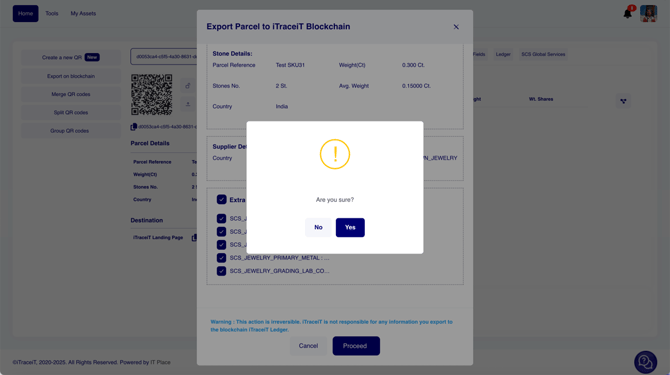
- Step 3: Click on “Yes” and the QR code will be exported.
Automatic Export – Multiple Parcels
Watch the Video Tutorial
For a clear visual demonstration, watch this short video on exporting in bulk QR codes to the blockchain:
Now that you have seen the full process, let’s go through each step in detail.
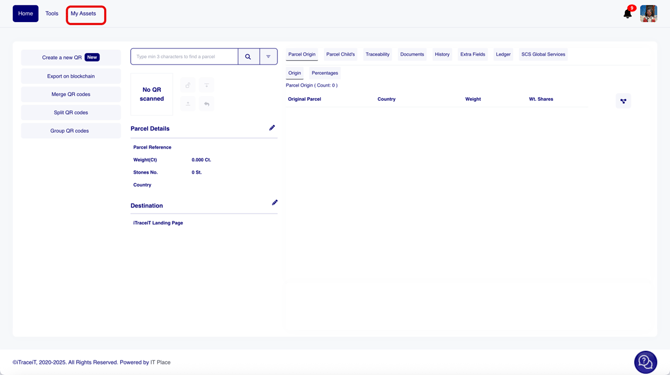
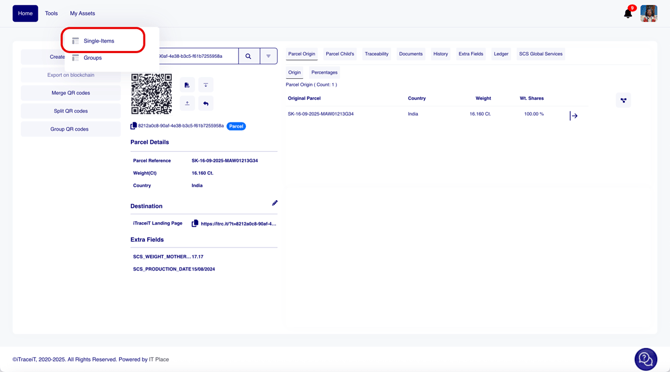
- Step 1: Click on “My Assets”.
- Step 2: Click on “Single Items”.
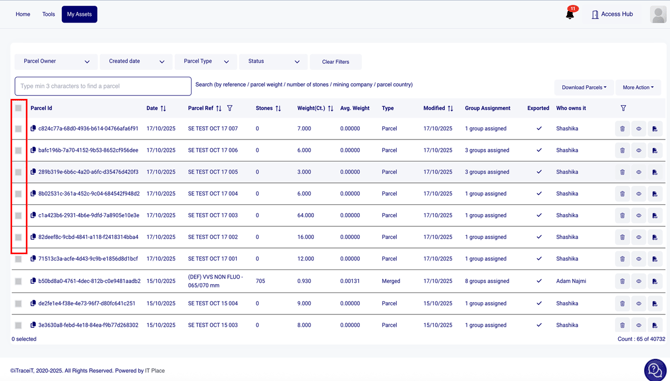
- Step 3: Select all the parcels that you want to export.
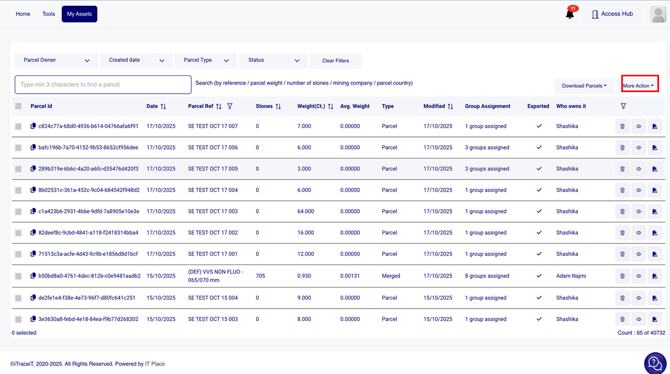
- Step 4: Click on "More Action".
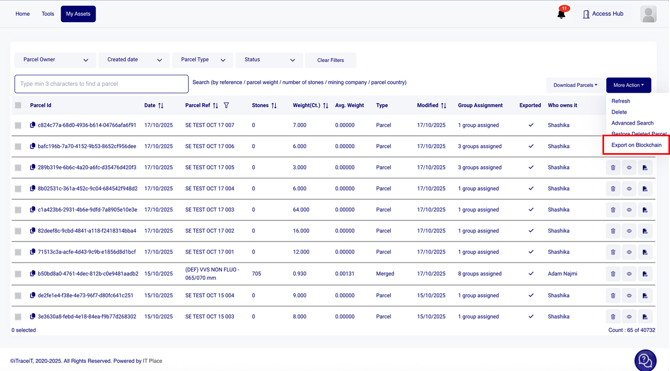
- Step 5: Click on "Export on Blockchain".
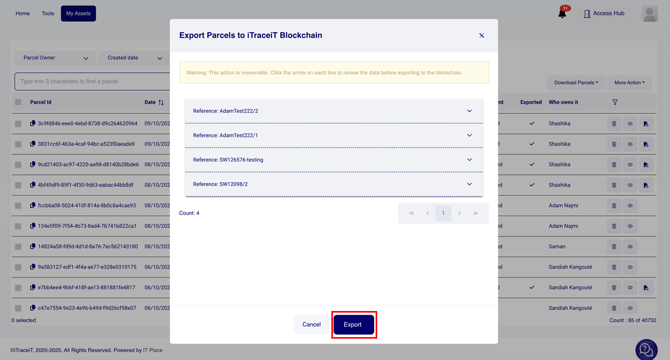
- Step 6: A pop-up window will appear showing a preview of all the selected parcels. Carefully check that all information is correct and what Documents and Extra fields you would like to export for each parcel, and press the button “Export”.
Exporting QR codes to the blockchain is a critical step in ensuring the integrity and traceability of your parcels. By following this process, you not only protect your business but also demonstrate your dedication to secure, future-forward practices. For additional clarity, refer to the video tutorial above or contact support for assistance.