
This section (Settings) is accessible only to administrators!
To ensure that extra fields are included when exporting a QR code to the blockchain, you need to activate the Extra Fields Transfer setting in iTraceiT.
Follow these steps to enable this option:
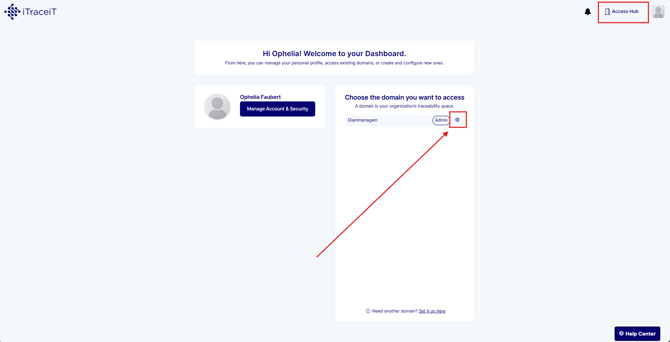
- Step 1: From your domain dashboard, click the gear icon next to your domain name to access the settings.
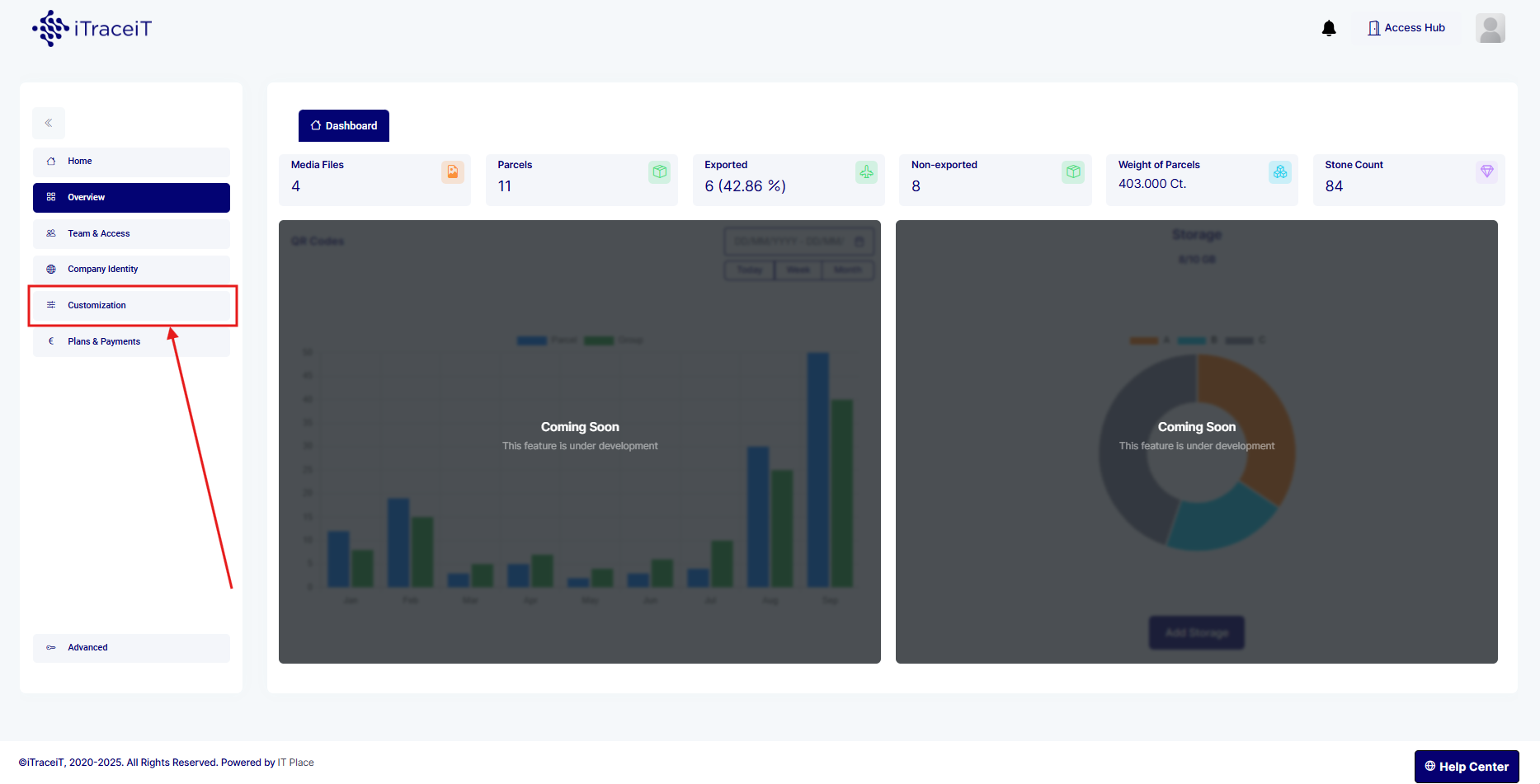
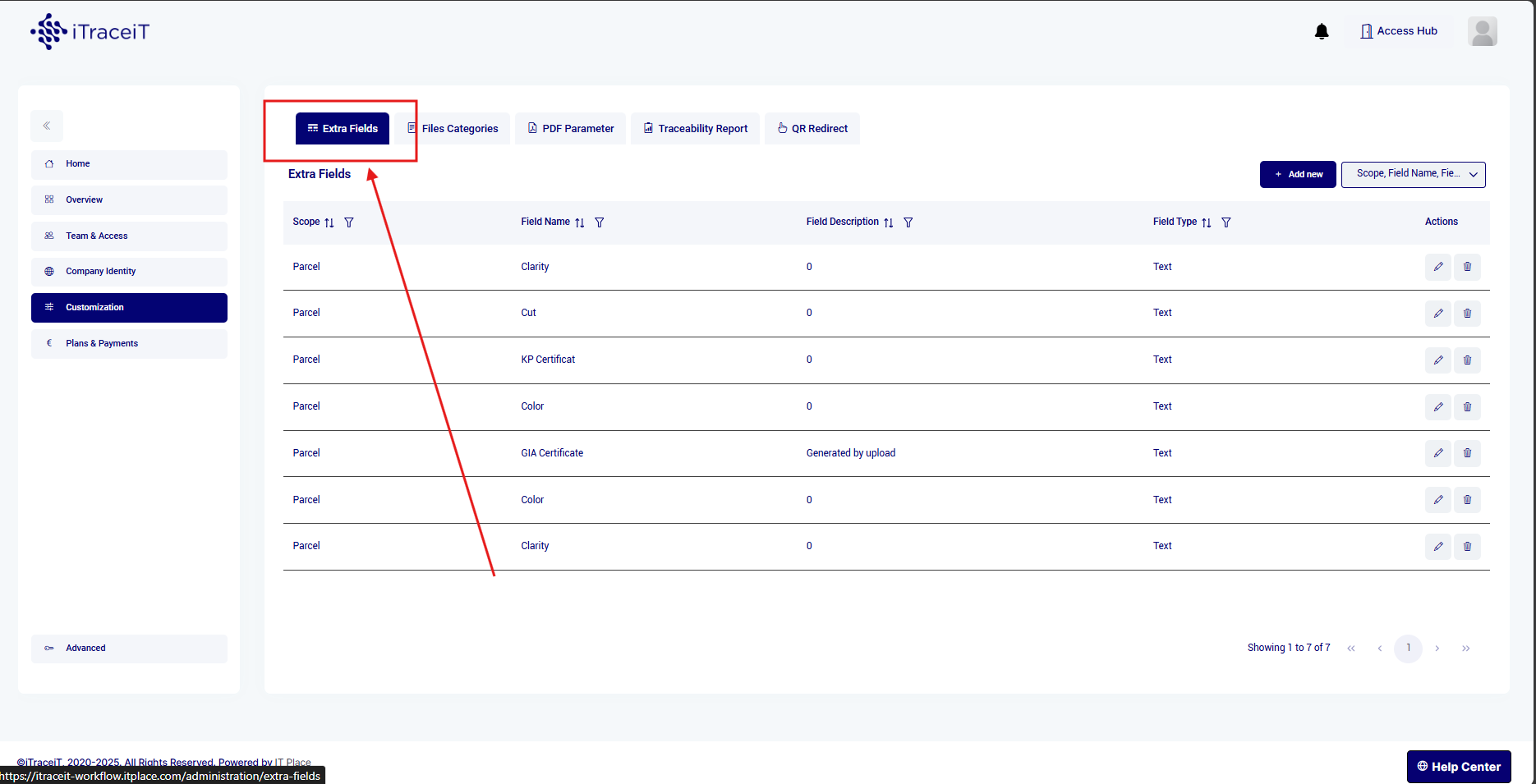
- Step 2: In the Settings section, Click on Customization and then on Extra Fields.
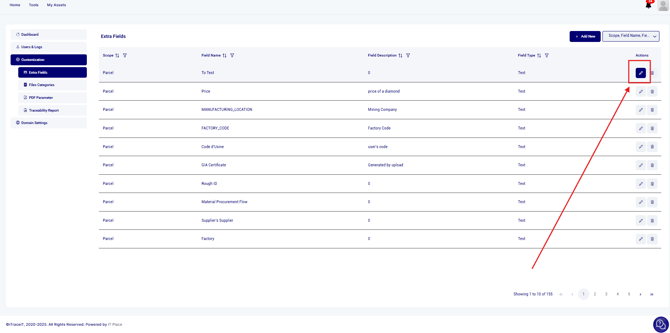
- Step 3: Identify and click on the pencil next to the Extra Field you wish to modify
- Step 4: Tick the box "Transfer to Blockchain" to activate it
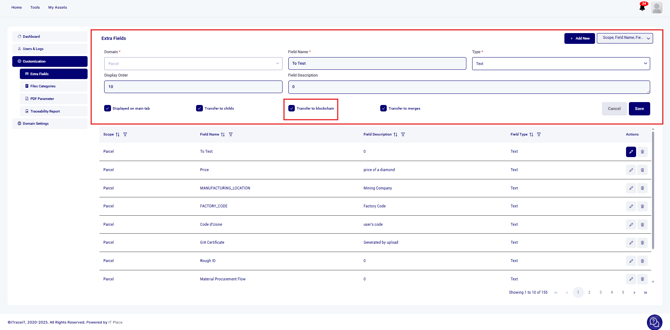
- Click Save to confirm your changes.
Once the setting is enabled:
- When exporting a QR code to the blockchain, the extra fields will be included automatically.
- You can verify the extra fields in the preview before confirming the export.
⚠️ Important: If this setting is disabled, extra fields will not be included in the blockchain export, and any modifications after exporting will not be possible.
By enabling the Extra Fields Transfer setting, you ensure that all relevant data is securely recorded on the blockchain when exporting QR Codes. This helps maintain accuracy and completeness in your traceability records.