
This section (Settings) is accessible only to administrators!
Incorporating documents into the blockchain export process requires proper configuration at the category level. This guide provides a clear, step-by-step process for administrators to enable the "Transfer to Blockchain" setting.
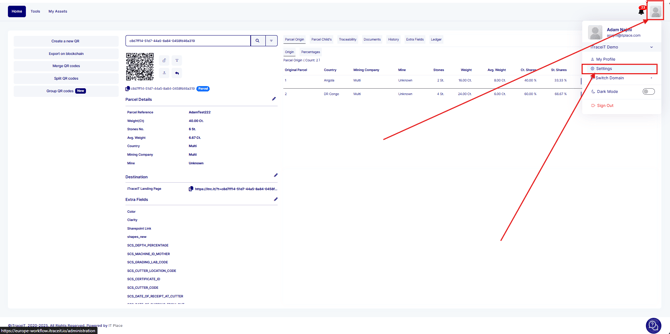
- Navigate to the Settings panel from the main dashboard.
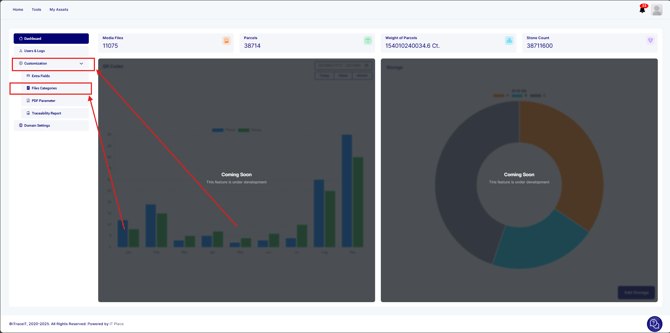
- Within the settings, click on Customization, and select the File Categories option.
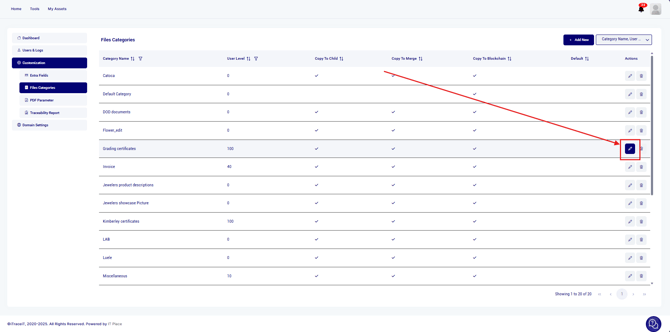
- Identify and click on the pencil next to the category you wish to modify (e.g., “Shipping Document”).
- In the category configuration screen, find the checkbox labeled "Transfer to Blockchain".
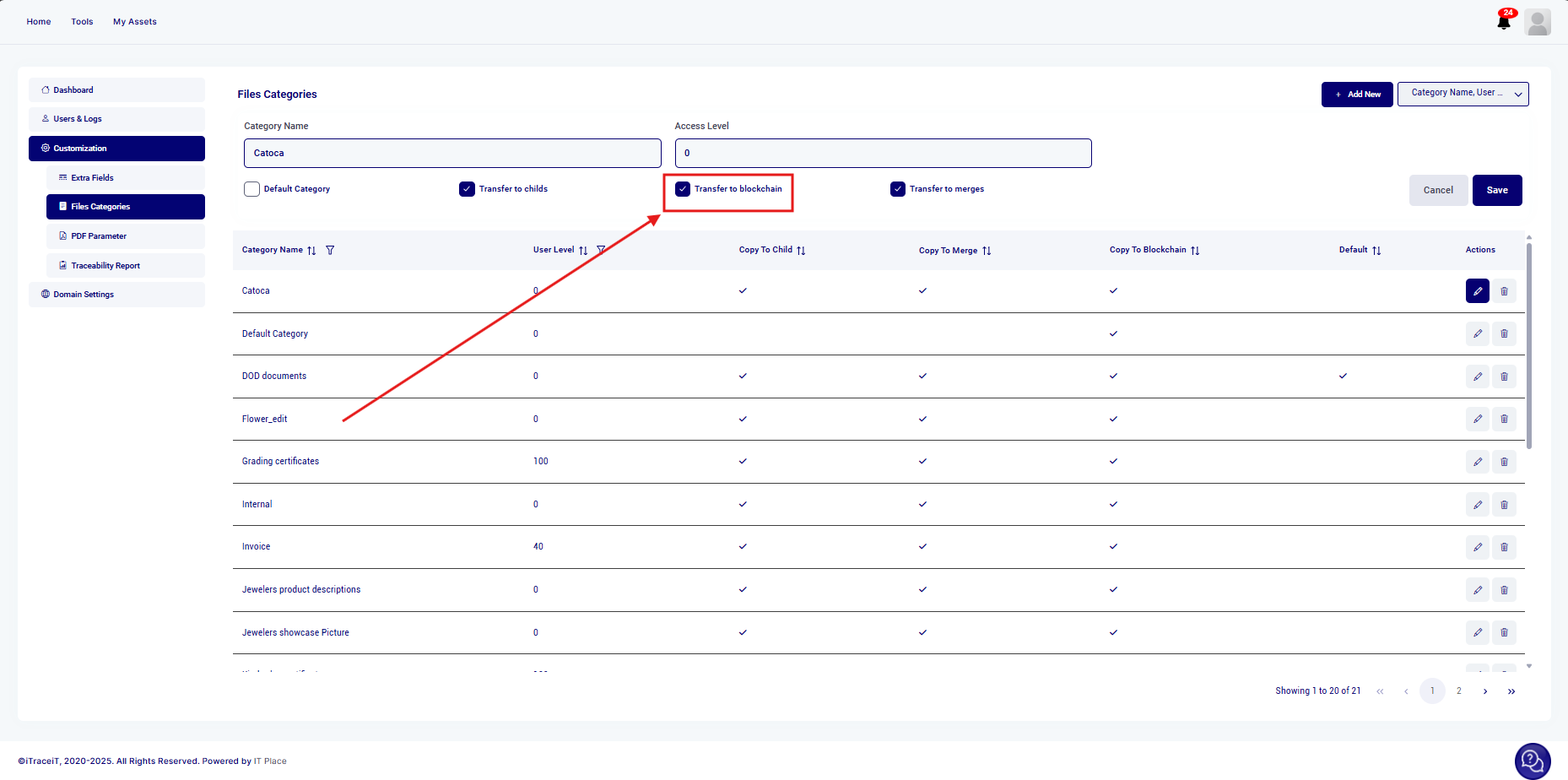
- Check this box to activate the documents' child transfer capability for the selected category.
- Click the Save button to confirm your configuration adjustments.
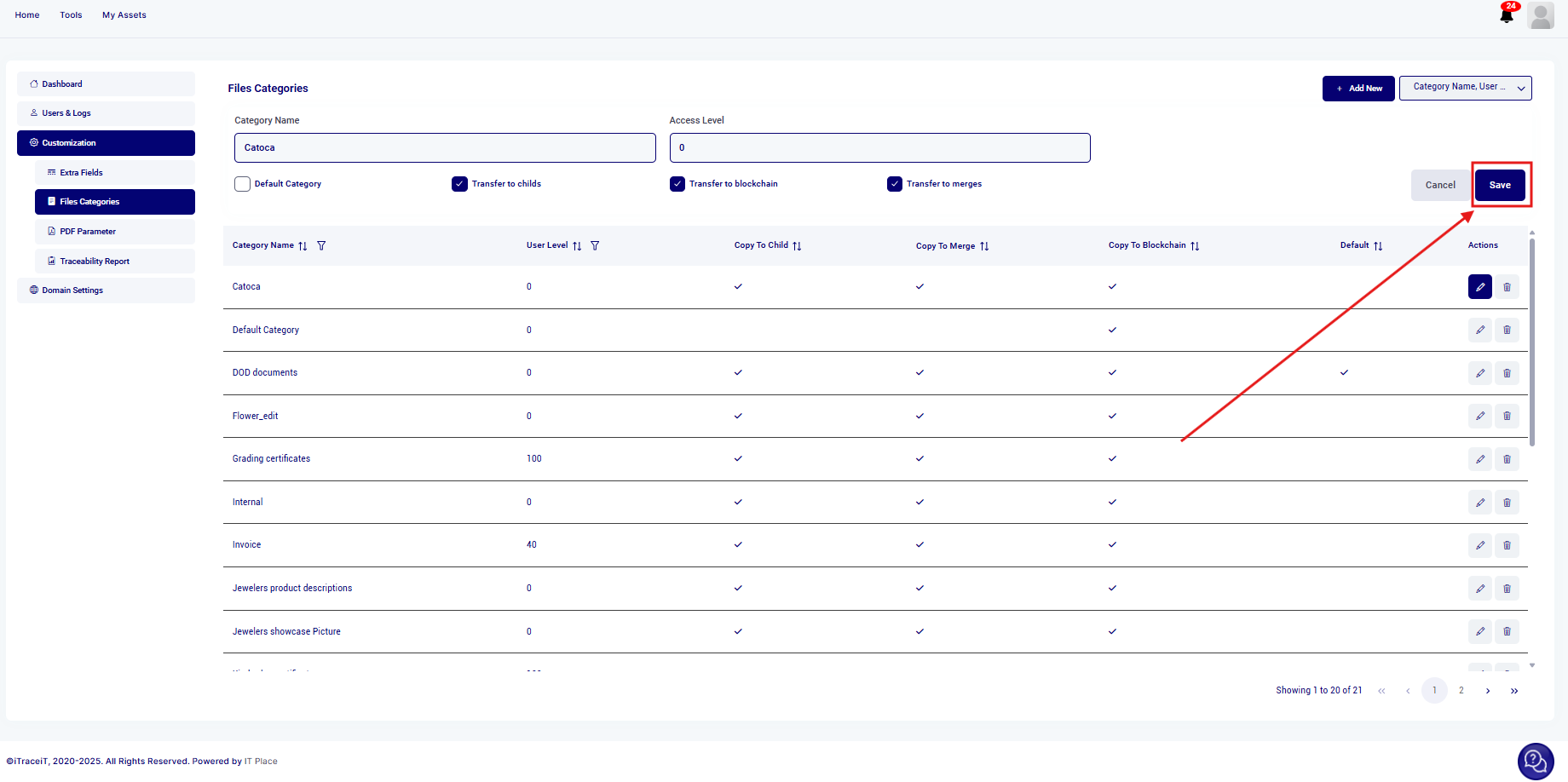
Enabling the "Transfer to Blockchain" setting at the category level ensures that your documents are prepared for secure export to the blockchain. Proper configuration of this setting is essential for maintaining data integrity and compliance throughout the export process.