
Only administrators can create or modify File Categories !
Documents such as invoices, certificates, reports, or internal files play an important role in traceability and certification workflows. Without proper organization, managing these documents can quickly become complex.
File Categories allow you to define clear rules for how documents are stored, copied, and exported. They are configured at domain level and apply consistently across all parcels in your domain.
To create File Categories:
-
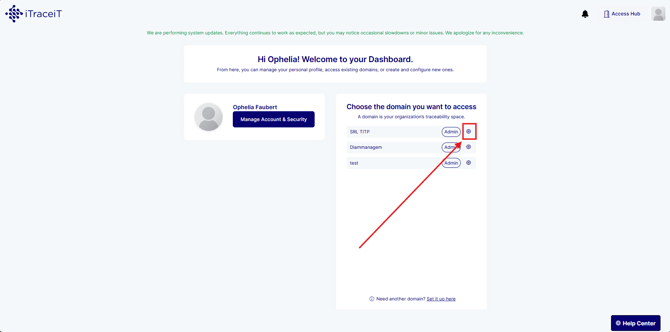
Step 1: Open your domain settings
-
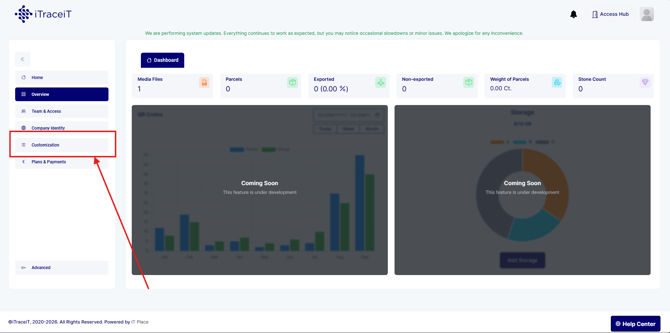
Step 2: Go to Customization
-
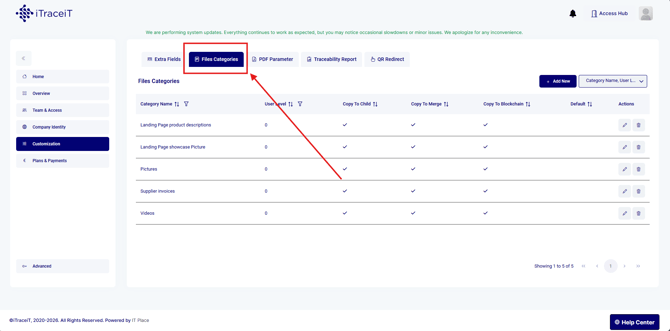
Step 3: Select Files Categories
-
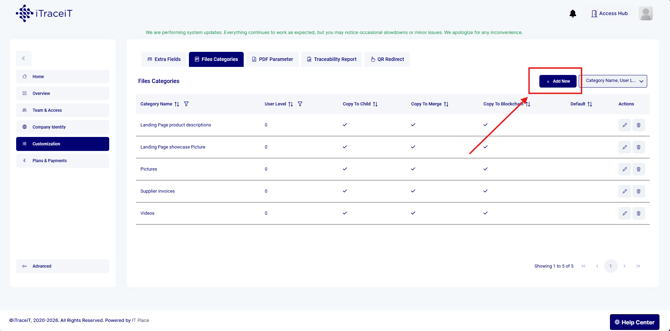
Step 4: Click on the button "Add New" to create a category
-
Step 5: Enter a category name

-
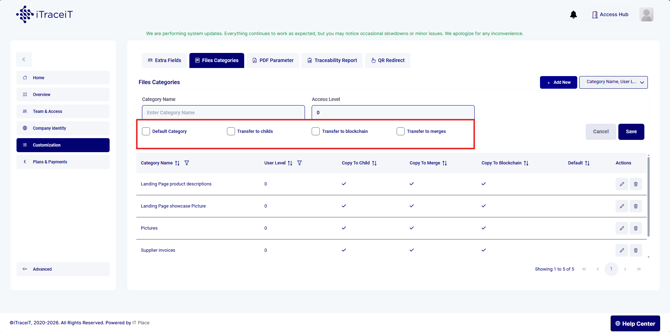
Step 6: Configure how the category should behave
You can configure whether documents in this category:
-
Are copied to child parcels after a split
-
Are copied to merged parcels
-
Are exported to the blockchain
-
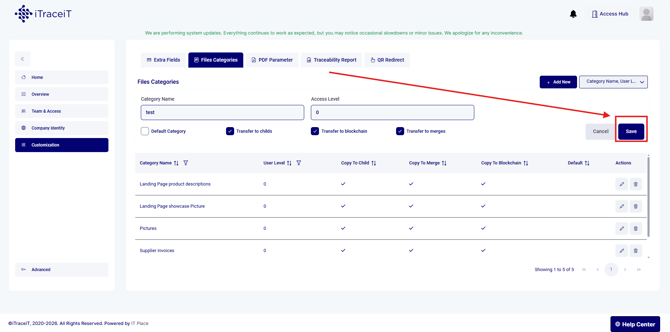
- Step 7 : Click on the button "Save"
File categories are a powerful tool to organize documents, control their behavior during traceability operations, and manage what information is shared on the blockchain. By configuring them correctly, you improve data governance, reduce errors, and support smooth certification and audit processes. Taking the time to define clear File Categories at the domain level helps your organization scale its use of iTraceiT with confidence and consistency.