
Only administrators can acces the domain settings.
Canceling a subscription does not delete your data immediately, but it may limit access once the current billing period ends.
-
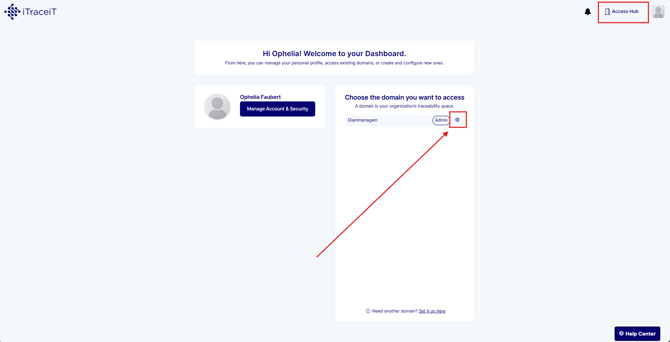
Step 1: From your domain dashboard, click the gear icon next to your domain name to access the settings.
-
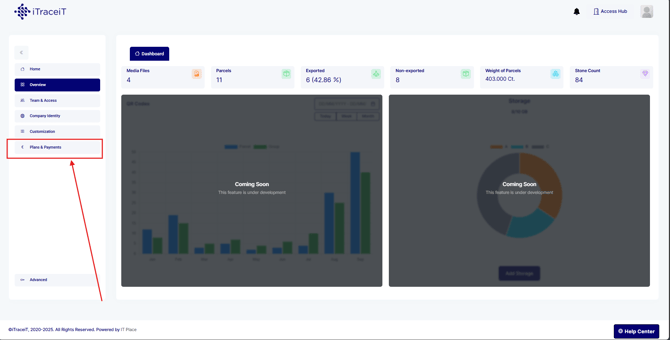
Step 2: In the left-side navigation menu, select Plans and Payments. This section contains all subscription and billing information for your domain.
-
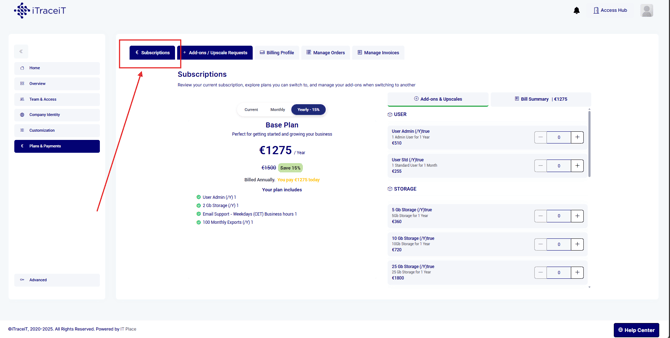
Step 3: Click on Subscriptions to view your active plan. You will see details such as plan type, status and renewal date.
-
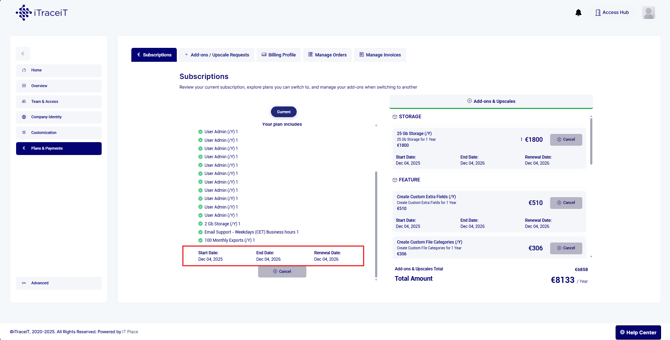
Step 4: Before canceling, review the information displayed on the subscription page.
This may include the end date of your current billing cycle and any impact on access to features or services.
-
Step 5: Click Cancel and confirm your choice when prompted.
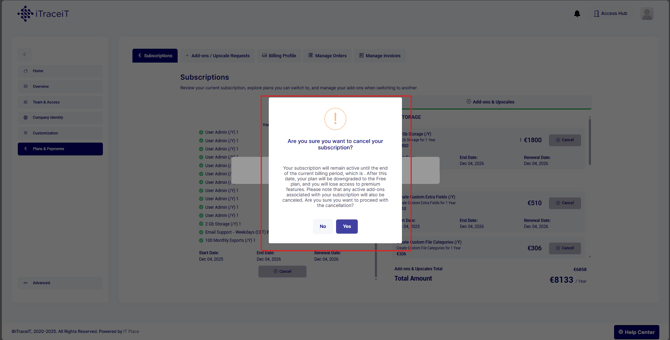
Once confirmed, your subscription will remain active until the end of the current billing period and will not renew automatically.
Canceling your subscription stops future renewals while allowing you to continue using the platform until the current billing period ends. If you need access again later, you can subscribe to a new plan at any time from the Plans and Payments section.