
Whether you're a jeweler, manufacturer, or retailer, iTraceiT provides tools to document this upstream information in a way that supports transparency while preserving supply chain integrity. This article outlines how to include upstream traceability data depending on whether your supplier is already using iTraceiT or not, and why such data may not always be mapped in the visible traceability journey.
Scenario 1: Your Supplier is an iTraceiT Member
If the actor upstream from you (e.g., producer, manufacturer, or supplier) already uses iTraceiT, the process is fully digital and highly secure.
How to Add Their Data to Your Record
-
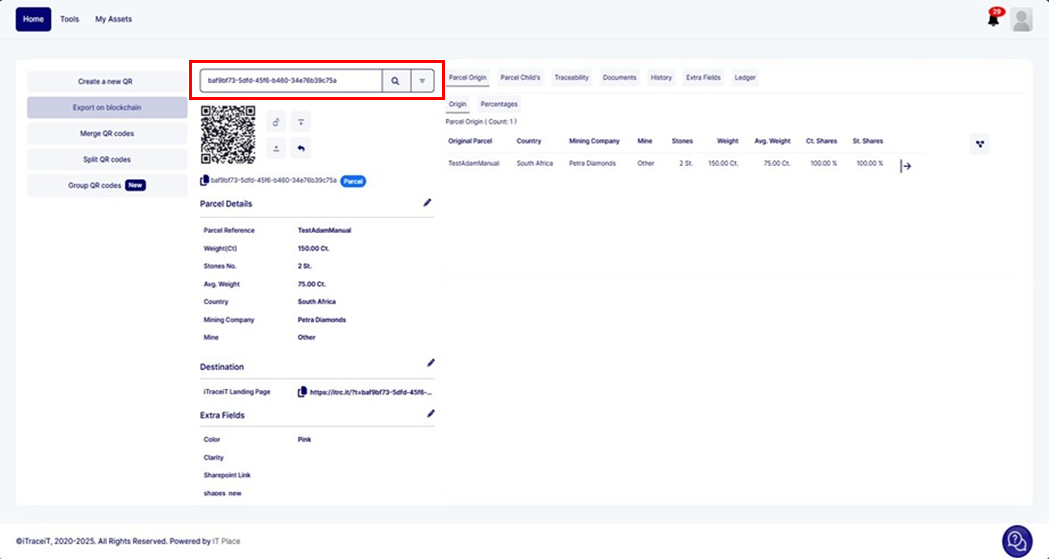
Scan the QR code provided by your supplier directly in your iTraceiT account.
-
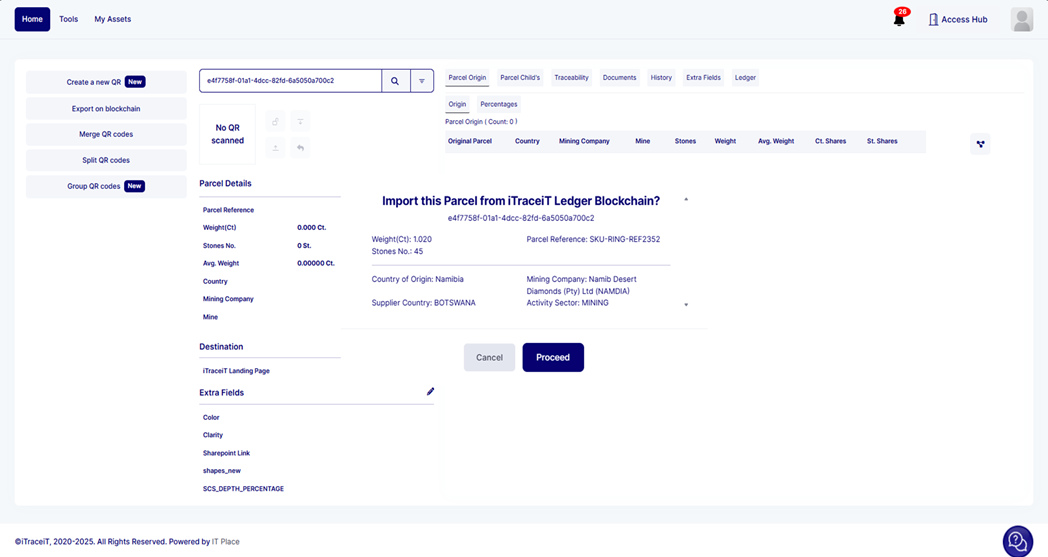
A confirmation pop-up will appear asking if you want to import the linked traceability data.
-
Carefully review the details, origin, certifications, location, and ownership etc.
-
If everything is accurate, click “Proceed” to import the upstream data.
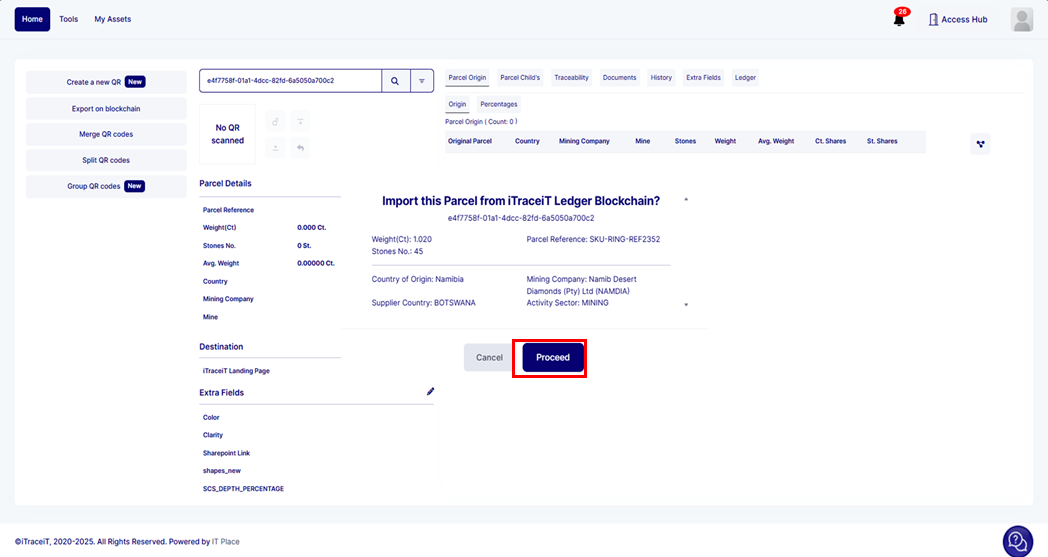
This process creates a verified connection between your product and the previous supply chain event, enriching your traceability record without manual input.
Scenario 2: Your Supplier Does Not Use iTraceiT
If your supplier is not yet using iTraceiT, you can still include upstream details manually when creating your traceability entry.
How to Document Upstream Information
-
Enter available origin and sourcing details as custom or extra fields when creating your QR code.
-
Information may include: region of origin, supplier name, ethical sourcing certificates, shipping documents, or lot references.
-
These details will appear on the QR code landing page, even if they aren’t represented in the system's traceability map.
This allows you to share important sourcing data with customers and partners, even in the absence of platform-to-platform integration.
Why Upstream Data May Not Appear in the Journey Map
When upstream information is added through manual entry, you may notice it doesn’t appear in the traceability chain view. This is due to how iTraceiT enforces location-based segmentation and data integrity.
As explained in this article, iTraceiT maps the journey visually only when:
-
There is a confirmed change in location (e.g., from one country to another), and
-
The connection is validated through a QR code import by another verified iTraceiT user.
Manually added upstream data or data without location segmentation won’t trigger a journey segment, even though the information remains visible and part of the product record.
Business Perspective
Capturing upstream traceability isn’t just about data, it’s about building trust, accountability, and competitive differentiation. iTraceiT gives you the tools to include upstream information with or without digital participation from suppliers, so you can adapt to real-world conditions without compromising traceability goals. Whether you work in luxury goods, food, healthcare, or raw materials, upstream transparency adds value across industries.
You can include upstream traceability information in iTraceiT in two ways: by scanning and importing a supplier’s QR code if they are on the platform, or by manually entering verified details when they are not. While not all upstream data can be displayed on the journey map, both approaches strengthen transparency and reinforce your product’s origin story. iTraceiT supports a flexible, secure approach to traceability that adapts to each actor’s role in the chain.